

| Version | 1.4.28 |
|---|---|
| Size | 23 MB |
| Updated | Oct 1, 2026 |
| Category | Tools |
| Requires | Android 7.0 |
| MOD info | Premium |
| Google Play | com.remixstudios.webbiebase |
MOD features
- Premium.
Webbie is an Android application that integrates multiple content processing tools into a single interface, including torrent downloading, magnet link opening, media downloading from supported URLs, streaming, and managing downloaded files. The app also features a video and audio player with numerous subtitle options, allowing users to perform various tasks directly on their phone without switching to other applications.
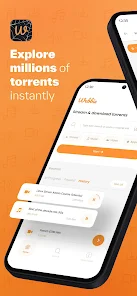
Download torrents and stream content
One of Webbie's standout features is its ability to handle both torrent files and magnet links. Users can open files from device storage or magnet links with a simple action. When a torrent contains multiple files, the app allows users to select specific content to download instead of forcing them to download everything.
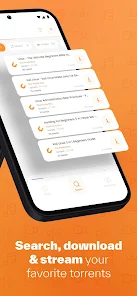
Webbie also supports pausing and resuming downloads. For supported torrents, users can start watching content while data is still being downloaded. The app also has the capability to create and share torrents directly from your device, ideal for cases where you want to distribute files you have permission to share.
Download media from URLs and search for torrents
Besides torrents, Webbie can handle video or audio URLs supported by the app. Users simply need to enter the link into the application to try streaming or downloading content. URL download tasks can be managed alongside active torrents.
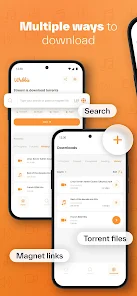
The app also integrates a torrent search tool, allowing users to utilize favorite search sources, save custom queries, and filter results by file type, size, or date. Webbie also provides in-app subtitle search functionality, making content preparation more convenient.
Media player and subtitle management
Rather than just being a download tool, Webbie also features an integrated video and audio player. Users can play downloaded content, streamed content, or media files already stored on their phone.

Subtitles are given special attention with support for embedded subtitles, external subtitle files, and multiple subtitle tracks. Users can adjust font size, text color, subtitle background, and display timing. The app also supports casting content to compatible Google Cast devices.
Tips and instructions for using Webbie
To make Webbie work, you can choose an existing torrent file on your device or directly enter a magnet link into the app. If the torrent contains multiple files, please review the list before starting to only download the content you actually need. For media links, it's recommended to use URLs that you have been granted access to and can download.

When downloading multiple files at once, Download Manager helps you track progress, pause, resume, organize, and select appropriate storage locations. If your device storage is limited, it's advisable to check available space before starting large download tasks.
Conclusion
Webbie is an application designed for users who want to integrate a torrent downloader, magnet link, media downloader, video/audio player, and file manager into a single software on Android. Features like streaming while downloading, torrent search, subtitle management, and local content playback make the user experience smoother and more convenient. However, when downloading or sharing content via torrent and URL, users should still be mindful of copyright issues, access permissions, and file origins.







