| Version | 7.1 |
|---|---|
| Size | 36 MB |
| Updated | Oct 1, 2026 |
| Category | Tools |
| Requires | Android 8.0 |
| MOD info | Premium |
| Google Play | com.markOne.ss_app |
MOD features
- Premium.
Mark is a screenshot management app specifically designed for the Android operating system, helping you process screenshots immediately instead of letting them accumulate in your library. It's very suitable when you need to keep images such as receipts, messages, addresses, order confirmations, notes, or reference documents only for a short time.
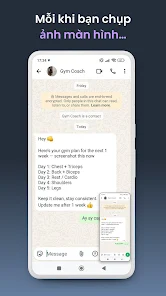
Automatically manage screenshots after taking them
The standout feature of Mark is that it displays a quick action window right after you take a screenshot. Here, users can preview the image and choose to keep it or schedule it to be automatically deleted after a certain period. The time settings can be flexibly adjusted according to your usage habits, rather than having to manually open the library and delete each image.
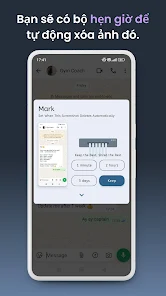
Set automatic deletion time
The app supports setting a timer to delete temporary screenshots. If an image still has value, you can keep it permanently. For images only used for quick viewing or sharing with others, setting a deletion time helps prevent your photo library from becoming overloaded.
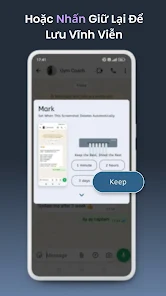
Share and clean up in one action
Mark integrates the ability to share directly from the post-screenshot window. Users can choose to share and keep the image, or share then set a time for the image to be automatically deleted afterward. This functionality is very convenient when you frequently take screenshots just to quickly send them to friends, colleagues, or family.
Tips and how-to guide for Mark
When starting to use Mark, you should configure time intervals based on your screenshot purposes. Images only needed for a few minutes can be set to delete quickly, while those used as daily references can be kept longer. For important documents, it's better to choose the keep option instead of adding them to the auto-delete list.
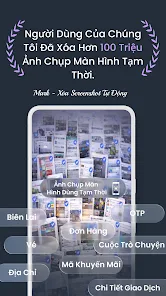
If you want to minimize actions, you can enable Silent Auto Delete mode. When this mode is turned on, the window that appears after each screenshot won't show up; new screenshots will be automatically added to the default scheduled deletion mechanism you've set up.
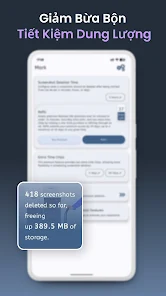
Mark allows users to manage images scheduled for deletion. If an important screenshot appears unexpectedly, you can change or cancel the deletion schedule, preventing the image from being lost by default settings. This feature is very convenient when using Mark over extended periods and needing to balance automation with direct control.
Conclusion
Mark addresses a clear yet practical need: automatically handling screenshots that only have value for a short time. With a fast operation interface, timer delete function, option to keep images, direct sharing, and Silent Auto Delete mode, the app helps users minimize the effort spent cleaning up their image library daily.