| Version | 3.21 |
|---|---|
| Size | 48 MB |
| Updated | Oct 1, 2026 |
| Category | Tools |
| Requires | Android 7.0 |
| MOD info | Premium |
| Google Play | hd.clear.status.app.clearstatus |
MOD features
- Premium
Clear Status is an application that helps users optimize images and videos before sharing them on WhatsApp Status, aiming to avoid the issue of content becoming blurry or losing quality after uploading. The app provides an easy-to-use processing workflow: simply select an image or video, optimize it with a single simple action, then open WhatsApp to post your prepared content.
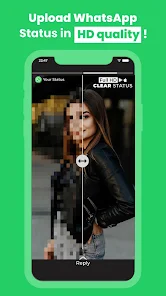
Optimize WhatsApp Status Quality with Clear Status
When uploading images or videos to WhatsApp Status, the content may get compressed, causing the image to lose sharpness compared to the original file. Clear Status was created to process content before posting, helping users prepare a better version for this platform. The app supports both images and videos, focusing on fast optimization rather than providing complex editing tools.

The usage process is very intuitive. Users just need to select the image or video they want to post, tap the WhatsApp-optimized option, and wait for processing to complete. Then, the app can open WhatsApp so users can continue posting content to Status. According to instructions on Google Play, developers also recommend using the forward option instead of regular sharing when posting to achieve better quality.
Optimize images and videos before posting
One of Clear Status's standout features is its ability to process both images and videos. This is very suitable for people who frequently update Status with personal photos, travel images, short videos, or work-related content. Instead of manually adjusting sizes or media parameters, users can let the app handle the optimization process tailored for WhatsApp.
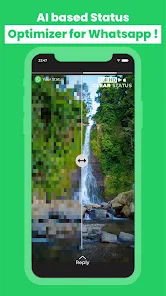
Besides the optimization feature, the Google Play update also adds some content creation tools such as muting video audio, adding custom music, stickers, location and title or text overlays on images and videos. Thanks to this, Clear Status not only solves the blurring issue but also supports personalizing Status before posting.
Fast operations and Premium features
The interface of Clear Status is designed for simplicity with a content selection, optimization, and WhatsApp transition workflow. This approach is very suitable for users who don't want to spend too much time manually editing before each Status post.
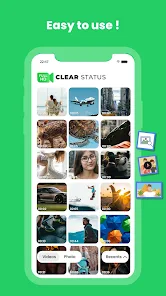
Clear Status Premium allows users to enjoy an ad-free experience and unlock premium features such as unlimited optimization, faster processing, and access to new features updated in the future.
How to Use Clear Status
To use Clear Status, you need to prepare the image or video you want to share on WhatsApp. Open the app, select content from your device, then apply the WhatsApp-specific optimization tools. After completion, switch to WhatsApp and choose the processed file to post to Status.

If you want to create a personalized experience, you can utilize supporting features like adding music, stickers, location, or text before posting. For videos with unnecessary audio, the mute feature also helps create a more suitable version for sharing.
Conclusion
Clear Status is an app that helps users improve the quality of images and videos when posting to WhatsApp Status. With a one-tap optimization process, supporting both images and videos, along with additional tools like background music, stickers, locations, and text, the app makes content preparation easier. If you often encounter blurry images when posting to Status, this is a worthwhile option to try before uploading directly from your library.