Document Scanner MOD APK 6.9.9 (Premium)
⬇ Download APK (107 MB)| Version | 6.9.9 |
|---|---|
| Size | 107 MB |
| Updated | Oct 1, 2026 |
| Category | Tools |
| Requires | Android 7.0 |
| MOD info | Premium |
| Google Play | com.cv.docscanner |
MOD features
- Premium.
Document Scanner is a document scanning and PDF creation utility for Android, turning your device's camera into a professional mobile scanner. The app supports capturing documents, receipts, notes, and tables, then optimizing the images with built-in tools before exporting to PDF or JPEG formats.
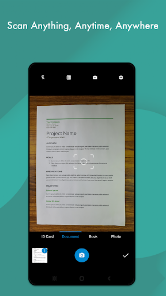
Overview of Document Scanner
A major plus of Document Scanner lies in its automatic and manual features that enhance scan quality. Right after capturing, the app automatically detects and crops the frame accurately while providing display modes like black and white, bright, color, or dark to make text more legible. These smart filters also help clean up and sharpen old or blurry documents.
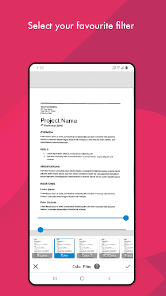
The software allows exporting PDF files in various sizes from A1 to A6 alongside many other common standards. You can categorize documents into folders, save them as PDF or JPEG, and share them flexibly. Document Scanner also allows data synchronization to popular cloud platforms including Google Drive and Dropbox.
Quick document scanning and PDF creation
When using Document Scanner, you simply point your camera at the text to be digitized. After capturing, users can easily adjust the display area and choose compatible filters. Crooked photos will be processed with cropping and alignment features, delivering professional PDF pages instead of ordinary snapshots.
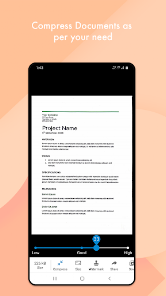
Furthermore, the tool allows you to combine multiple existing photos from your gallery into a single PDF file. This is a very practical feature when you want to group previously captured documents for storage, emailing, or sharing with others via ApkUnlimit.
QR, barcode, and document management
Besides document scanning, Document Scanner also integrates a convenient barcode and QR code reader. You can use the camera to scan codes directly or generate your own QR codes right within the app. All completed data is neatly organized into folders, making searching quick and easy.
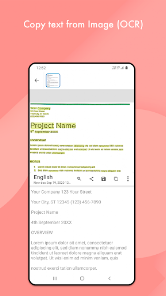
Tips and usage guide for Document Scanner
To get sharp scans, place the paper on a flat surface and keep your phone parallel to the document page. Choose a well-lit space, avoiding device shadows or direct glare on the paper. In low-light conditions, you can turn on the built-in flash feature.
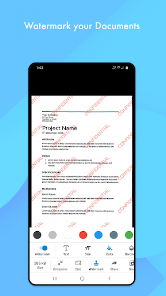
After shooting, remember to check the corners of the document before saving. For plain text, the black and white or bright mode will make the letters stand out; while documents containing images or stamps should use color mode. If you need to merge multiple pages, arrange them in the correct order before exporting to PDF to save editing time.
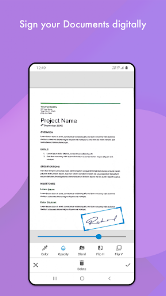
According to Google Play information, the app may share certain data with third parties and collect personal info, photos, videos, and some other details; all data is encrypted during transmission. Therefore, for highly confidential papers, you should carefully review permissions and privacy policies before use.
Conclusion
Document Scanner brings a comprehensive solution to turn your Android phone into a pocket document scanner. From scanning papers, sharpening images, exporting PDFs, converting photos to PDF, to folder management, sharing, and reading QR codes, the app fully meets daily digitization needs at ApkUnlimit. If you frequently need to store records in digital format, this is definitely an indispensable assistant.