

Day One Diary: Daily Journal MOD APK 2026.19 (Premium)
⬇ Download APK (102 MB)| Version | 2026.19 |
|---|---|
| Size | 102 MB |
| Updated | Oct 1, 2026 |
| Category | Tools |
| Requires | Android 9 |
| MOD info | Premium |
| Google Play | com.dayoneapp.dayone |
MOD features
- Premium Version
Day One Diary is a digital journal app for Android that helps users record their thoughts, events, photos, videos, and special moments in life. Developed by Automattic, Inc., the app supports multiple platforms, allowing users to maintain their journal seamlessly across Android, iPhone, iPad, Mac, Windows, and the web. The current version also brings many useful tools to organize, search, and reminisce about your saved entries.
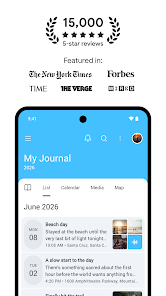
Journaling with text, photos, and audio
The highlight of Day One Diary is its ability to turn journaling into a comprehensive memory-keeping space. Users can create text journal entries using rich formatting and organize them into multiple journals for different purposes, such as personal use, work, travel, or daily reflections. The basic version allows for unlimited text entries and multiple journals.
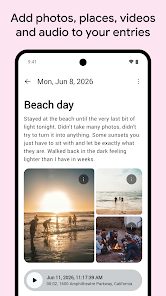
In addition to text, the app supports saving photos, videos, and voice recordings depending on the subscription plan. Data such as date, time, location, weather, or moon phase can be automatically added to each entry, ensuring that a post not only contains content but also captures the exact context of that moment.
Preserve memories and find content easily
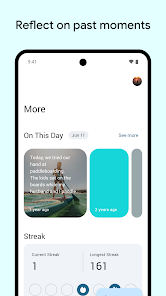
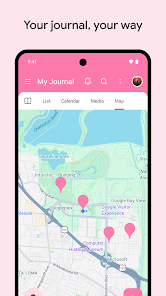
Day One Diary features an "On This Day" function, allowing you to review memories recorded on the exact same date in previous years. Tags, favorites, and search filters help categorize journals by topic, while the map view displays the places where you have created entries based on the location data saved with them.
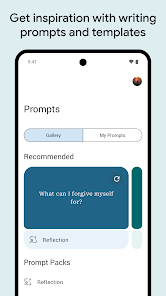
The app also supports streaks and a calendar to help users maintain a consistent writing habit. Daily writing reminders and prompts can serve as a great starting point when you are unsure what to write. Furthermore, custom templates help save preparation time if you frequently record content with similar structures.
Multi-platform synchronization and privacy-focused
Day One Diary also stands out for its cross-platform capability, allowing you to start writing on your phone and continue managing it on your computer or web browser. The app also supports importing content from external services, while integrating with platforms like Strava or Zapier in eligible plans.
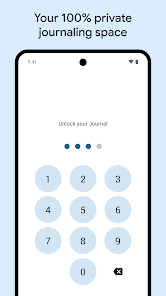
In terms of security, Google Play confirms that the app applies end-to-end encryption for journals, allows locking via passwords or biometrics, and provides options to export data in PDF, JSON, or plain text formats. Although the developer does not share data with third parties, the app may still collect location, personal info, and certain other data types; all data is encrypted in transit and users can request its deletion.
Tips and Guide for Day One Diary
When starting out with Day One Diary, create separate journals for frequently used topics instead of lumping everything into one place. For example, you can separate personal, travel, and work journals to make searching easier later.
To maintain a journaling habit, enable reminder features and prompt templates to establish a fixed routine. For travel-related entries, enable necessary permissions so the app automatically adds time, location, and weather information. When saving important content, take advantage of the backup and export features to keep your own offline copy.
Day One currently offers a free Basic plan with unlimited text entries and journals. The Silver and Gold plans expand on this with features like unlimited photos/videos, audio recording, multi-device support, Daily Chat, advanced reflection tools, and several AI features. The developer emphasizes that AI features are optional and only process data when users actively engage with them, and are not used to train AI models.
Conclusion
Day One Diary is a journaling app that goes far beyond basic functions, offering a wide range of features to help you store and relive your memories over time. The app allows users to save various types of content such as text, photos, videos, audio, geolocation, weather, and maps, creating a personal space to record your life's journey in an organized way. Cross-platform synchronization, powerful search tools, templates, reminders, and security options make it easy for users to maintain a long-term journaling habit.







