
Clipboard: Bảng nhớ tạm MOD APK 5.4.1 (Unlocked)
⬇ Download APK (7 MB)| Version | 5.4.1 |
|---|---|
| Size | 7 MB |
| Updated | Oct 1, 2026 |
| Category | Tools |
| Requires | Android 8.0 |
| MOD info | Unlocked |
| Google Play | jp.snowlife01.android.clipboard_trial |
MOD features
- Premium version
Clipboard is a clipboard management tool for Android that allows users to store copied content for future use. The app not only retains the latest content but also automatically saves your copy history, while integrating note-taking features and popular text templates. Clipboard can be displayed as a floating window over other apps, making copy-and-paste operations seamless.
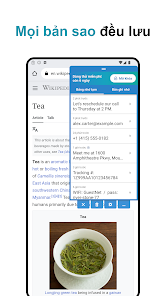
Save history and use text templates
One of the standout features of Clipboard is its ability to automatically save copied content. The history can hold up to 1,000 items; once the limit is reached, older entries will be overwritten by new ones. Users can also sort the history by newest, oldest, or name for easy retrieval.
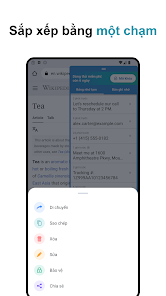
In addition to the copy history, the app supports a dedicated notes section to store frequently used text snippets. You can save addresses, template replies, contact information, or any content you type repeatedly, and then paste them back quickly with just a single tap.
Floating window supports fast copy and paste
Clipboard can display content as an overlay on top of active applications. The floating window button is movable, and its color and transparency can be adjusted to your preference. Thanks to this, users don't need to switch back and forth between apps when inputting text and managing the clipboard.
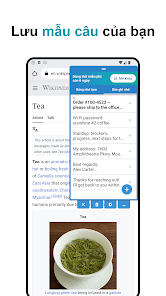
The app also allows you to open the clipboard from notifications or Quick Settings. For those who frequently work with multiple text snippets, links, or information that requires continuous copying, this feature significantly reduces the number of steps required.
Search, backup, and automatic data management
Alongside history storage, Clipboard also features quick web search capabilities whenever you copy a word or phrase. The app supports adding text to history via the Android share menu and can handle special copy methods from apps like LINE or WhatsApp if users enable the corresponding option.
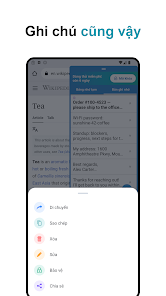
History and notes can be backed up as a ZIP file, and data can be exported in TXT, PDF, or PNG format. Users can also configure the auto-deletion time for saved items. The app interface supports light, dark, and pure black modes suitable for OLED screens.
Tips and usage guide for Clipboard
After installing Clipboard, you should grant the Accessibility Service permission when requested by the app if you want to automatically detect copied content. This permission allows the app to monitor copy actions in real time and supports the auto-paste feature. According to the developer, content is stored locally on the device and is never transmitted externally.
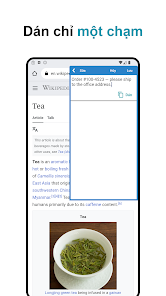
To optimize performance, add frequently used content to the memo section instead of mixing it into your copy history. For sensitive data such as passwords, authentication codes, or account information, consider carefully before saving and set up appropriate auto-deletion modes.
The current app version allows you to try all features for 7 days. After this period, to unlock the full version, users only need a one-time purchase instead of a recurring subscription.
Conclusion
Clipboard makes managing copied content easier than the default Android clipboard. With features like automatic copy history saving, notes, text templates, a floating window, quick search, backup, and auto-deletion, the app is ideal for users who need to type or transfer many text snippets daily. Integrating the clipboard and notes in a single interface ensures that frequently used content is always ready when needed.







