
Alarmy MOD APK 26.35.2 (Premium)
⬇ Download APK (207 MB)| Version | 26.35.2 |
|---|---|
| Size | 207 MB |
| Updated | Oct 1, 2026 |
| Category | Tools |
| Requires | Android 9 |
| MOD info | Premium |
| Google Play | droom.sleepIfUCan |
MOD features
- Premium.
Alarmy is a smart alarm clock app combined with sleep tracking, designed for people who constantly struggle to wake up with just a simple ringtone. Instead of allowing you to turn off the alarm immediately, the app requires users to complete a specific task such as solving math problems, shaking the phone, taking a photo, or scanning a QR code/barcode before the alarm can be stopped.
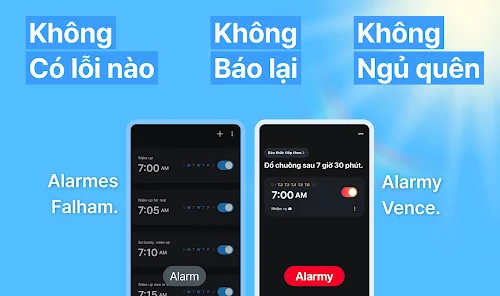
Waking users up through smart tasks
The special feature of Alarmy is the mechanism that forces users to perform a certain action before turning off the alarm. This approach differs from conventional alarm clocks, where a simple tap on the dismiss button is enough.
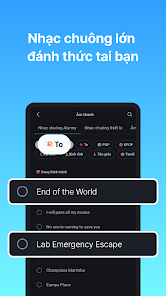
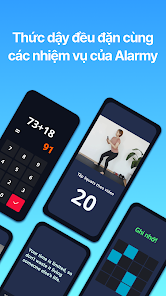
The app supports a wide variety of tasks. In the math task, users need to solve math problems ranging from simple to complex. The shake task requires shaking the phone multiple times, while the photo task requires moving to a chosen location and photographing that exact area. There are also memory tasks and QR code or barcode scanning tasks.
Multiple ways to turn off alarms to prevent oversleeping
Alarmy allows users to combine multiple tasks to increase the difficulty of waking up. You can choose the type of task that suits your personal habits, such as solving math if you want to stimulate your brain or using the photo task if you usually turn off the alarm right from bed.

Several advanced features help check whether the user is truly awake, including typing tasks, walking, or doing squats. The power-off prevention feature can use the Accessibility Service to restrict turning off the device while the alarm is ringing.
Sleep tracking and building morning habits
Besides its alarm features, Alarmy also provides sleep-related tools. Users can set bedtime reminders, use relaxing sounds like rain, ocean waves, or ASMR, and track various sleep-related information.
The app also features snoring tracking and audio recording during sleep. This data helps users observe their own sleeping habits, though it should not be considered a medical diagnosis for health issues or sleep disorders.
Tips for use and Alarmy guide
When you first start using Alarmy, you should set up a moderately difficult mission to ensure you cannot turn off the alarm while still drowsy. If you often forget to wake up, set a photo or QR code scanning mission at a spot far from your bed, which will force you to actually get up.
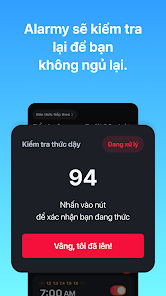
For those who want to build a morning study habit, you can place the barcode on a book or material you need to use right after waking up. When the alarm goes off, having to move to that location and scan the code will help you gradually transition from a sleeping state to an active one.
Conclusion
Alarmy is not just a regular alarm clock app, but it also turns the wake-up journey into a series of interactive tasks. From solving math problems, shaking the phone, taking photos, scanning codes to physical exercises, the app offers various methods to prevent you from snoozing and going back to sleep. Combined with sleep tracking features, relaxing sounds, and bedtime reminders, Alarmy is an ideal choice for anyone wanting to take control of both their wake-up time and daily sleeping habits.







