
X Downloader & Video Player MOD APK 2.3.18 (Premium)
⬇ Download APK (108 MB)| Version | 2.3.18 |
|---|---|
| Size | 108 MB |
| Updated | Oct 1, 2026 |
| Category | Photos & Video |
| Requires | Android 7.0 |
| MOD info | Premium |
| Google Play | video.downloader.tiktok.instagram.file.saver.vault |
MOD features
- Premium version.
X Downloader is a handy tool that helps users download videos and images from various websites and social media platforms. This software features a built-in web browser, automatically detects downloadable multimedia files, and comes with a convenient download manager.

Overview of X Downloader
A major plus of X Downloader is its convenience, saving users from having to switch back and forth between multiple apps. Thanks to the integrated browser, you can access websites and the system will automatically capture video or image links. As soon as they are detected, you simply select the desired file to proceed with downloading it to your device.
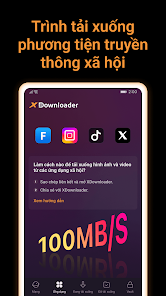
In addition, the app also supports fetching content from several social networks by copying URLs. You just need to copy the link from the social media app, then open X Downloader for the system to automatically recognize that link. This method makes the downloading process extremely fast for content that permits storage.
Store Photos and Videos with Versatile Options
X Downloader allows downloading videos in various resolutions such as 480p, 720p, 1080p, and HD standard depending on the source file. Not stopping at videos, this tool also handles images and some popular audio formats well. The automatic content detection feature makes it easy for you to know which files can be downloaded while browsing the web.

On the other hand, the app allows downloading multiple files simultaneously and supports background running. The progress management area helps you easily track, pause, resume, or cancel tasks at any time. This is truly a powerful feature for those who frequently download large quantities of images or videos.
Smart Browser and Dedicated Storage Space
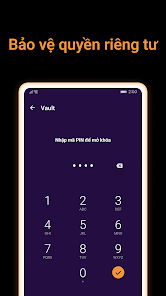
Besides file downloading features, X Downloader also offers an integrated browser with the ability to bookmark favorite websites. Downloaded files are kept in a secure private area, helping users organize and control their personal content easily.

According to information from Google Play, the app contains ads and in-app purchase packages. The data security section also notes the possibility of collecting and sharing device IDs, and the declared data is unencrypted. Therefore, you should carefully consider privacy and the types of files you want to save before experiencing it.
Tips and User Guide for X Downloader
To download videos from the web, use the built-in browser in X Downloader to access websites, wait for the app to scan the content, and then select the file to save. For social media sites, take advantage of the copy and paste link feature when the platform supports downloading.
Users should prioritize using Wi-Fi networks when downloading heavy videos and check the device's available storage space before starting multiple tasks. Most importantly, remember to only download content you have the right to use. The development team also recommends getting the author's consent before resharing their videos.
Conclusion
X Downloader delivers a comprehensive solution including a web browser, auto-link capture, download manager, and secure storage in a single interface. Multi-format compatibility, background running support, and parallel downloads help the app well meet the needs of storing legal images and videos. Always keep copyright and security issues in mind when using.