| Version | 4.1 |
|---|---|
| Size | 44 MB |
| Updated | Oct 1, 2026 |
| Category | Photos & Video |
| Requires | Android 7.0 |
| MOD info | Premium |
| Google Play | fourthopt.aiocam |
MOD features
- Premium.
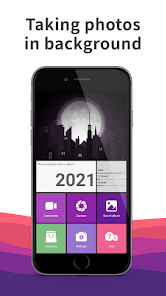
NinjaCam is a specialized camera app for the Android operating system, focused on taking photos and recording videos secretly without requiring the camera interface to remain visible on screen. Users can start recording, then switch to using other apps or turn off the screen while the recording continues. The app also includes a private photo and video gallery along with features for locking and hiding applications.
What makes NinjaCam special?
Unlike regular cameras, NinjaCam is optimized for covert filming. When starting to record, the app uses a foreground service and displays a persistent notification in the status bar so users know that video recording is active. This allows you to continue working with other apps or turn off the screen while the video continues to be recorded.
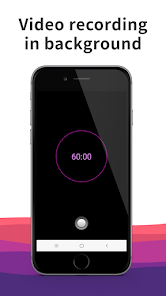
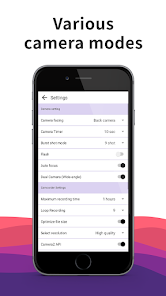
The app also offers familiar tools such as auto-focus, timer, flash, burst mode, front and rear cameras. In addition to normal camera mode, NinjaCam supports screen-off recording and black screen modes.
Secret video recording and photo capture when screen is off
One of NinjaCam's standout features is its background recording capability. Users can set a maximum recording duration, mute audio if needed, or choose for the app to automatically close after completing the recording process. This feature is very useful in situations where you want to record extended activities without keeping the camera screen open continuously.
The app also includes timestamp options, vibration control, and SD card storage support depending on device capabilities. The current version also adds a Home Cam Mode, suitable for scenarios like monitoring pets or babies at home.
Private gallery and security features
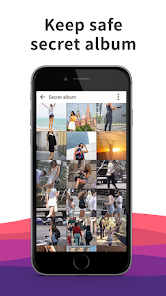
Besides its camera function, NinjaCam integrates a private photo/video gallery to store sensitive images and videos. Users can import or export files from external storage and use a PIN to restrict access to the app.
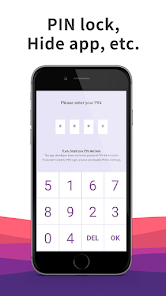
The app also provides several hidden features such as changing the app name and icon, using a computer interface to create a disguise layer, or setting up a fake PIN. These features are aimed at protecting personal content on your device.
Tips for using and instructions for NinjaCam
When launching NinjaCam, you need to grant camera and microphone access permissions if you want to record videos with sound. Next, choose between front or rear camera, adjust the duration and settings as needed, then start recording immediately. During recording, pay attention to notifications in the status bar to confirm that the recording session is active.
If you frequently make long video recordings, check your storage capacity before starting. High-quality videos can consume significant storage space, especially when recording for extended periods. With Home Cam Mode, place your device in a fixed position and ensure your phone has sufficient battery and that the camera isn't obstructed.
Conclusion
NinjaCam integrates multiple features such as background recording, screen-off recording, photo capture, private storage, and app locking or hiding tools within a unified interface. The ability to continue recording while switching to other apps along with Home Cam Mode makes it a flexible choice for various specific Android video recording needs. If you're looking for an app that can function in background mode, NinjaCam is a worthwhile consideration.