Trình Phát Video MOD APK 2.9.1 (Premium)
⬇ Download APK (46 MB)| Version | 2.9.1 |
|---|---|
| Size | 46 MB |
| Updated | Oct 1, 2026 |
| Category | Photos & Video |
| Requires | Android 7.0 |
| MOD info | Premium |
| Google Play | video.player.videoplayer |
MOD features
- Premium Version
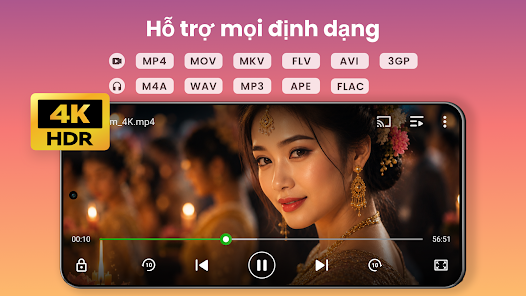
XPlayer is a professional video player for the Android operating system, focusing on supporting a wide variety of video and audio formats on mobile devices or tablets. The app supports popular formats such as MKV, MP4, M4V, AVI, MOV, 3GP, FLV, WMV, RMVB, and TS, while also enabling smooth playback of HD and 4K videos. Beyond playback functionality, XPlayer integrates video management, subtitle controls, background playback, floating windows, and video casting to TVs via Chromecast.
High-quality video playback and multi-format support
The core strength of XPlayer lies in its ability to handle numerous video file types without requiring additional codec packs or players. The app can automatically detect videos stored in internal memory or on an SD card, then organize them neatly so users can easily find and open the content they want to watch.
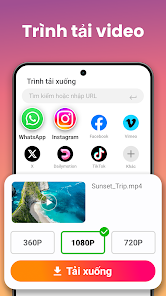
XPlayer supports HD, Full HD, and 4K videos, while leveraging hardware acceleration to optimize the playback process. Users can adjust playback speed from 0.25x to 8x, which is extremely convenient when watching lectures, courses, or long content that requires fast-forwarding, or when slowing down video segments for closer inspection.
Flexible video playback controls
During video playback, XPlayer allows users to adjust volume, brightness, and playback position simply through screen swipe gestures. The app also provides options such as auto-rotation, aspect ratio adjustment, screen lock, night mode, and quick mute.

Regarding subtitles, XPlayer supports downloading subtitles online and allows users to customize subtitle and audio settings. This makes the app particularly convenient for watching movies, educational videos, or foreign-language content.
Floating window, background playback, and Chromecast
Another standout feature of XPlayer is its ability to play videos in a floating window. The window can be moved and resized, allowing users to watch videos while working with other apps. Split-screen functionality also helps make the most of the display space on compatible Android devices.
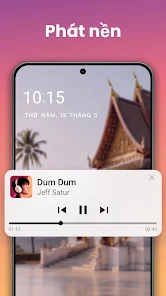
If you only want to listen to the audio from a video, users can enable background playback mode. XPlayer also supports Chromecast to cast videos from your phone to a compatible TV. These features make the app versatile and suitable for various multitasking scenarios.
Guides and Tips for Using XPlayer
When launching XPlayer, you need to grant access permissions so the app can scan the video library on your device. Then, open the library and select the video you want to watch. In case of having many files, using the video management and sharing feature will help you easily find your favorite content.
While watching educational videos or lectures, try adjusting the playback speed to 1.25x or 1.5x to save time. For important sections that require close attention, you can lower the speed below 1x. If you want to watch videos while doing other tasks, use the floating window mode or background playback, depending on your usage needs.
Conclusion
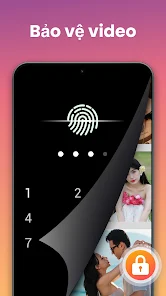
XPlayer is a smart video player that supports various formats, capable of playing HD and 4K, adjusting speed, subtitles, creating private folders, and managing video content on the device. Features like floating windows, background playback, and Chromecast support expand its usability, while the swipe-gesture control interface makes watching videos on Android easier and more convenient.