

| Version | 3.0.1 |
|---|---|
| Size | 12 MB |
| Updated | Oct 1, 2026 |
| Category | Photos & Video |
| Requires | Android 10 |
| MOD info | Unlocked |
| Google Play | com.iptv.smart.smarters.player.stream.tv.live.watch.streaming.chromecast |
MOD features
- Unlocked.
IPTV Smart Player Pro is an IPTV streaming application on Android that allows users to manage and enjoy their own playlists, TV channels, or self-provided videos. This is the paid Pro version completely free of ads, supporting a variety of video formats with qualities ranging from SD, HD to 4K. Please note that the app does not integrate any content or playlists by default, but simply acts as a player for the sources you add yourself.
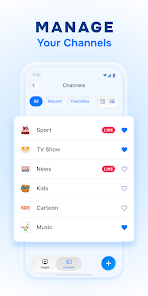
Overview of IPTV Smart Player Pro
A major plus of IPTV Smart Player Pro lies in its ability to stream and organize IPTV content through an extremely optimized interface. You can easily add personal playlists to arrange channels and videos for the most convenient viewing experience. The software is well-compatible with many familiar media formats, notably M3U along with a series of other audio, image, and subtitle formats.
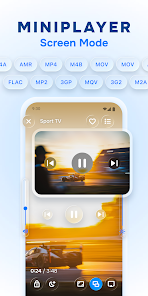
This tool perfectly meets the demand for enjoying videos at various resolutions. Depending on the original transmission line and the device being used, IPTV Smart Player Pro can smoothly handle SD, HD, 720p, 1080p, and even 4K standards. Thanks to this, the player can flexibly adapt to many rich IPTV sources instead of being restricted to a fixed standard.
Playlist and Media Format Support
Through IPTV Smart Player Pro, you can totally create your own entertainment repository using your legal playlists or content. The app supports the M3U format along with many other media types, combined with smart filtering features for quick searching. For massive channel lists, this categorization and search capability will significantly save manual channel-surfing time.
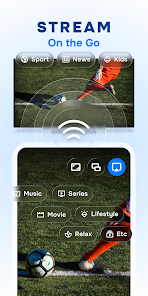
This operational mechanism makes the app an ideal choice for those who already have IPTV sources from reputable providers. Instead of acting as an online TV broadcasting unit, IPTV Smart Player Pro focuses entirely on the function of a professional player and source management tool.
Video Viewing and Pro Experience
The Pro version brings the outstanding advantage of completely removing annoying ads while supporting high-definition content playback. The minimalist-style interface helps users quickly access configured channels, videos, and playlists. However, the actual display quality is still affected by the stream source quality, internet network speed, and device hardware.

Another plus of IPTV Smart Player Pro is its high mobility. You can apply the software in many scenarios, from tracking IPTV playlists at home to enjoying personal videos on your Android device. Nevertheless, since it does not provide built-in content, the developer always recommends users to only use legal sources with full access rights.
Tips and Guide for IPTV Smart Player Pro
To get started with IPTV Smart Player Pro, the first step is to prepare a legal playlist or streaming source from a trusted provider. After importing the source into the app, check the channel system again and take advantage of filters for faster searching. If your list has too many channel groups, organizing them neatly from the beginning will bring comfort throughout your later usage.
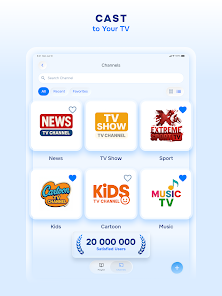
When watching HD or 4K standard programs, you should maintain a very stable network connection to avoid lagging or loading buffering. In case a stream channel does not work, carefully check the source and compatibility instead of hastily concluding that the app is faulty. Besides, always comply with using legally copyrighted playlists.
Conclusion
IPTV Smart Player Pro is an extremely effective IPTV streaming application for those who like to manually manage their playlists and personal content on Android. Thanks to M3U format support, diverse media standards, image quality from SD to 4K, along with a neat interface and smart filtering features, the app fully meets personal entertainment needs. Since there are no pre-existing channels or playlists, you need to proactively prepare legal sources before experiencing it.







