
Wiseplay MOD APK 8.7.4 (Premium)
⬇ Download APK (120 MB)| Version | 8.7.4 |
|---|---|
| Size | 120 MB |
| Updated | Oct 1, 2026 |
| Category | Photos & Video |
| Requires | Android 6.0 |
| MOD info | Premium |
| Google Play | com.wiseplay |
MOD features
- Premium.
Wiseplay is a video and playlist player application for Android, compatible with many popular file formats as well as M3U and W3U standards. This tool allows you to play both locally stored videos and online sources from the internet. With an intuitive interface, Wiseplay is ideal for anyone who needs a comprehensive multimedia player that handles regular videos smoothly and manages online playlists well.
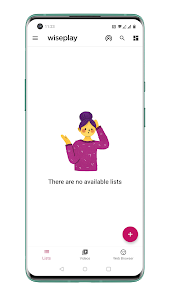
Overview of Wiseplay
A major plus of Wiseplay lies in its ability to read a wide variety of video formats and protocols. The software supports everything from MP4, MKV, MOV, AVI, FLV, H264, HEVC, M3U8, MP3, TS to WMV and many other standards. Additionally, the application is compatible with network protocols such as HTTP, HTTPS, MMS, RTMP, and RTSP, providing maximum flexibility when users stream content from different sources.
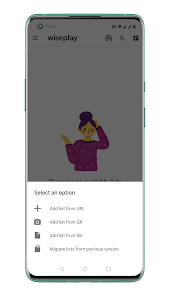
For playlists, you can easily add M3U or W3U formats by using available files, pasting URLs, or quickly scanning QR codes. This feature makes organizing video sources much neater instead of having to open each individual file. Furthermore, Wiseplay is heavily optimized across various Android platforms, ranging from smartphones and Android TV Boxes to Android TV models.
Playlist support and online video streaming
At ApkUnlimit, users can take advantage of Wiseplay as a dedicated playlist player for personal content. Right after importing an M3U or W3U list, you can freely search and enjoy videos directly on the main interface. This is truly a great solution for those who frequently track multiple streaming sources and want to gather them into a single application.
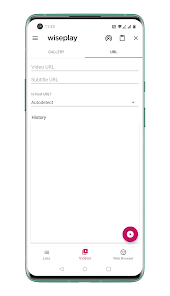
Besides, the app also supports streaming high-resolution content such as HD and 4K if your device and network connection meet the requirements. Not stopping there, Wiseplay also integrates 3D and VR video viewing modes, subtitle customization, night mode, and many other useful playback settings.
Cast videos to TV and use on Android TV
If you want to enjoy a larger screen, Wiseplay provides a feature to cast images to your TV via Chromecast or DLNA when the devices share the same connection. The application also has a dedicated version for Android TV, making navigation and entertainment experiences on the big screen much more convenient compared to the mobile version.
Tips and usage guide for Wiseplay
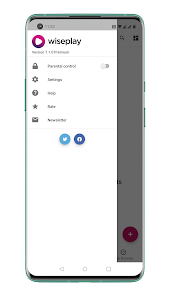
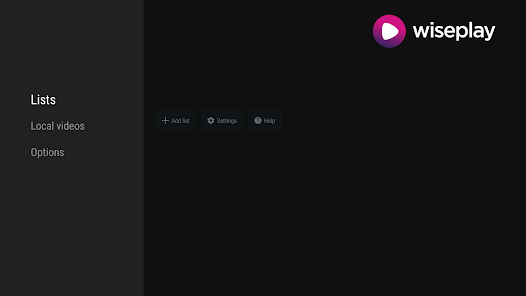
To get started, open Wiseplay and add videos from device storage or load M3U/W3U playlists via files, links, or scanning codes. Once the list is updated, simply select the video you want to watch. In case a video plays sound without a picture, you can go to the app's settings to disable hardware acceleration as recommended.
When you want to cast content to your TV, check if your phone and Chromecast or DLNA device are connected to the same network, then activate the casting feature on the player. Please note that online video quality depends on network speed and the original streaming source. Most importantly, Wiseplay does not bundle any entertainment content by default; users must prepare their own videos or playlists and only access legal content.
Conclusion
Wiseplay is an extremely versatile multimedia player for anyone who needs to manage both local files and streaming playlists. Thanks to its multi-format support, M3U/W3U compatibility, Chromecast, DLNA, Android TV, HD/4K quality, along with 3D and VR modes, the app fully meets all your entertainment needs. If you are looking for a highly compatible video player for playlists, Wiseplay is definitely a name worth trying at ApkUnlimit.