

Vpnify MOD APK 2.2.9 (Premium)
⬇ Download APK (28 MB)| Version | 2.2.9 |
|---|---|
| Size | 28 MB |
| Updated | Oct 1, 2026 |
| Category | Tools |
| Requires | Android 7.0 |
| MOD info | Premium |
| Google Play | com.vpn.free.hotspot.secure.vpnify |
MOD features
- Premium
Vpnify is a VPN software for Android devices, helping users easily set up a virtual private network connection with just a few simple taps on their phone. This application helps protect data when using public Wi-Fi networks, browsing the web, streaming content, interacting on social media, or playing games. According to Google Play, Vpnify allows users to connect to a VPN with just a single tap, features various servers, and does not require creating an account before use.
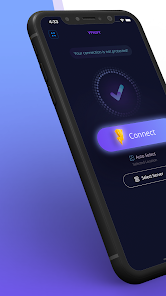
Fast VPN connection and easy operation
The highlight of Vpnify is its interface designed to optimize operation speed. Users simply need to open the app, choose a suitable server, and press the connect button to establish the VPN tunnel. This operation method is very convenient for those who do not want to manually configure detailed network parameters.

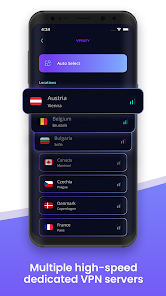
The app supports a series of server locations in countries such as the US, UK, Canada, Germany, France, Netherlands, Singapore, Hong Kong, Japan, and many others. Vpnify also states that the service works well on various network types including Wi-Fi and mobile data.
Secure your connection when using public networks
When using a VPN, data traffic between the device and the server is encrypted through a secure tunnel. Vpnify states that the app uses encrypted DNS along with DNS and IP leak prevention mechanisms. These features help users enhance their protection level when accessing the internet on untrusted networks.
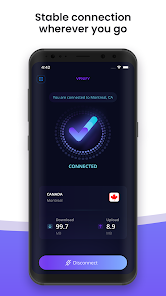
Vpnify also emphasizes its ability to support various activities such as web browsing, social media, messaging, streaming, and online gaming. However, a VPN does not guarantee absolute anonymity; users still need to be cautious with personal information, cookies, app permissions, and data they voluntarily share online.
Multi-national servers and fast one-tap connection
Vpnify offers a variety of server locations for users to choose from, helping to optimize connections according to actual needs. In case a server encounters an issue, you can easily switch to another server to test performance and stability. The app also supports unlimited bandwidth connections, which is especially suitable for watching videos or downloading, although actual speed still depends on various factors such as the server, network provider, geographical location, and network conditions at the time of use.
Guides and tips for using Vpnify
When starting to use Vpnify, you should open the app and select a server that suits your needs. After successfully connecting, check for the VPN icon on your Android device before proceeding to use apps that require a secured connection.
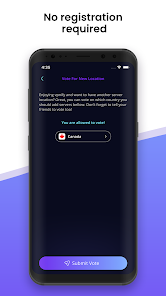
If you experience slow access or unstable connection, try switching to a different server instead of staying on your current location. For activities requiring high speed like watching videos or playing online games, testing multiple servers will help you find the best configuration for your current network.
Conclusion
Vpnify delivers a straightforward VPN experience with a one-touch connection, supporting multiple server locations and operating stably on both Wi-Fi and mobile networks. Features like connection encryption, secure DNS, and DNS/IP leak protection help enhance your defense layer while using the Internet. Users can utilize the VPN for work or handling sensitive data, but should carefully review the privacy policy and choose a suitable server before connecting.







