
VPN Vietnam MOD APK 4.6.3.6 (Premium)
⬇ Download APK (33 MB)| Version | 4.6.3.6 |
|---|---|
| Size | 33 MB |
| Updated | Oct 1, 2026 |
| Category | Tools |
| Requires | Android 7.0 |
| MOD info | Premium |
| Google Play | free.vpnvietnam.unlimited.secure.turbo.unblock.proxy |
MOD features
- Premium.
VPN Vietnam is a VPN app for Android devices that lets users create network connections through intermediary servers to enhance security and privacy while browsing. The app's full name is VPN Vietnam – Super VPN Shield, developed by Proxy Master & Turbo VPN. It supports fast connections, works on Wi-Fi, 4G, and multiple servers in different countries, including Vietnam.

Overview of VPN Vietnam
VPN Vietnam is designed for users who want to easily access the Internet via VPN without complex configuration. When you open the app, you simply choose a suitable server and tap the connect button. Once connected successfully, all network traffic from your device is routed through the VPN server, following the standard way a VPN tool works.
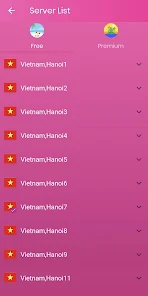
The app supports many server regions such as the United States, Germany, India, Singapore, Japan, Russia, the United Kingdom, and Vietnam. Switching servers can help users test access to services from different countries. However, actual performance in terms of speed and stability will depend on the server's location, network quality, and connection conditions at the time.
Fast VPN connection with just one tap
One of the highlights of VPN Vietnam is how simple it is to use. Users don't need to enter complex technical parameters—just choose a server and tap the connect button directly from the main interface. The app is advertised as supporting unlimited bandwidth and working on Wi-Fi, 3G, 4G, as well as many other types of mobile data connections.

Using a VPN is especially useful when you're connected to public Wi-Fi in places like cafes, airports, hotels, or schools. Encrypting the connection helps reduce the risk of traffic being monitored in some situations, but a VPN should not be considered a perfect protection method. Users still need to use strong passwords, enable two-factor authentication, and avoid visiting suspicious websites.
Choosing servers and managing privacy
VPN Vietnam offers many server options so users can test connections based on their needs. If the current server is slow or unresponsive, you can switch to another region and check again. When using a VPN for watching videos, making calls, or playing online games, it's best to prioritize servers with low latency rather than relying solely on the desired country location.
According to information from Google Play, the app may contain ads and support in-app purchases. Regarding data security, the app may share certain types of data, such as device identifiers, with third parties; data is encrypted in transit, and users have the right to request data deletion. Therefore, be sure to read the privacy policy carefully before using it regularly.
Tips for using VPN Vietnam and instructions
After installing, open VPN Vietnam and review the permission requests before agreeing. Choose a server near your current location for lower latency, then tap the connect button. When Android shows a confirmation prompt to set up the VPN, check the app name and only continue if you fully understand what you're doing.
While using it, you should test your speed before and after connecting to assess whether the VPN affects your network. If you experience slow page loading, dropped connections, or can't access a specific service, try switching servers or disconnecting the VPN to identify the cause. Do not use a VPN to violate laws, terms of service, or access prohibited content.
Conclusion
VPN Vietnam is a VPN tool for Android, focused on simplicity of use, supporting fast one-tap connections, and offering many server options, including Vietnam. The app is suitable for users who want an extra layer of protection when using public Wi-Fi or testing Internet connections from different countries. However, users should carefully consider actual speed, ads, permissions, and data policies before using it long-term.







