
Video Converter Compressor MOD APK 20.9.0 (Premium)
⬇ Download APK (68 MB)| Version | 20.9.0 |
|---|---|
| Size | 68 MB |
| Updated | Oct 1, 2026 |
| Category | Tools |
| Requires | Android 10 |
| MOD info | Premium |
| Google Play | com.inverseai.video_converter |
MOD features
- Premium.
Video Converter Compressor is a professional video compression and format conversion software on Android released by Inverse AI. This utility is compatible with a wide range of video and audio standards, supporting customization of size, frame rate, bitrate, and various audio devices. In addition, the app integrates basic editing features such as video cutting and merging, and audio extraction, making it very convenient for those who frequently work with multimedia directly on mobile devices.
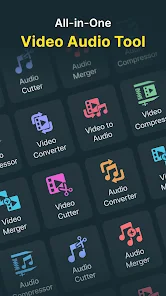
Overview of Video Converter Compressor
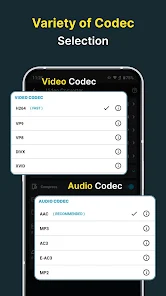
The biggest strength of Video Converter Compressor is its ability to read and process a diverse range of formats. You can easily convert back and forth between popular standards such as MP4, MKV, AVI, 3GP, MOV, MTS, MPEG, MPG, WMV, M4V, VOB, FLV... Furthermore, the app also supports exporting to independent audio formats such as MP3, AAC, AC3, OGG, M4A, or WAV quickly.
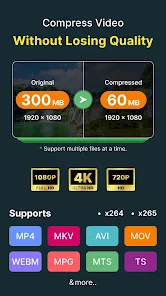
Not stopping at just changing extensions, Video Converter Compressor also allows fine-tuning of resolution, FPS, and bitrate to optimize both file size and output quality. Recent updates have added 2K and 4K standards along with hardware acceleration features, making the export of heavy videos smoother on supported devices.
Flexible video conversion and compression
Through Video Converter Compressor, users can freely choose the output format based on their actual needs. For example, MP4 is the perfect choice for playback on almost all devices, while other formats suit more specialized purposes. To reduce file size, you can easily lower the resolution or bitrate instead of just changing the format.
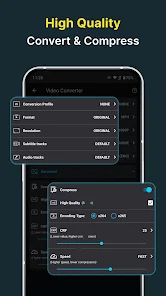
The app provides both CBR and VBR encoding modes. Among them, CBR keeps the bitrate stable, while VBR dynamically allocates it per frame for optimal efficiency. This customization helps you easily balance between sharpness and file size.
Convert video to audio and batch processing
Besides video, Video Converter Compressor offers very professional audio processing tools. You can extract audio into MP3, M4A, AAC, AC3, OGG, FLAC, WAV formats, and choose mono or stereo channels as you like. The software also supports easy music trimming and changing bitrate and sample rate.
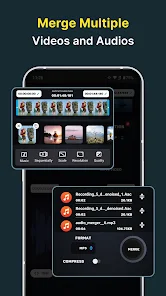
The batch processing mode allows you to queue multiple files instead of manually operating on each video one by one. This is a powerful assistant when you need to quickly process a large amount of data at once. The entire media processing workflow is powered by the robust FFmpeg source code.
Tips and instructions for Video Converter Compressor
In case you want to shrink a video to send messages or free up storage, gradually lower the resolution and bitrate step by step to check the quality. For Full HD videos viewed on phones, it is not necessary to set the bitrate too high. Conversely, if you need good quality for post-production editing, prioritize the highest settings.
When you only need the audio from a video, take advantage of the dedicated audio extraction feature. For important files, always remember to keep the original copy just in case you need to re-edit. Also, when running batch tasks for multiple files, remember to check the device's free storage to avoid running out of memory halfway through.
Conclusion
Video Converter Compressor is truly a powerful assistant for anyone looking for a comprehensive video compression and conversion app right on Android. Thanks to multi-format support, deep parameter customization, audio separation, basic cutting, and batch processing capabilities, the app can fully meet all your needs. The recent integration of 2K, 4K resolutions and hardware acceleration further affirms the convenience of this tool for high-quality video files.







