

| Version | 7 |
|---|---|
| Size | 31 MB |
| Updated | Oct 1, 2026 |
| Category | Tools |
| Requires | Android 8.0 + |
| MOD info | Premium |
| Google Play | com.document.office.docx.viewer.pdfreader.free |
MOD features
- Unlock Premium
- No QC
Office Reader, Document Viewer is an app that helps view and manage various common document file types directly on your Android phone. Instead of installing separate software for each format, users can open PDF, Word, Excel, PowerPoint, and TXT files within the same interface. This is an ideal choice for people who frequently handle office documents but need quick operations on mobile devices.
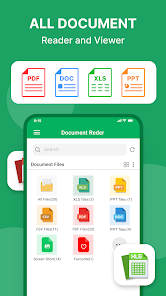
The standout feature of this software is its ability to automatically scan and classify documents on your device by format. This makes finding a Word file, Excel spreadsheet, or PDF document much easier, especially suitable for users who often use smartphones for studying, working, or consulting documents while on the move.
What's notable about Office Reader, Document Viewer?
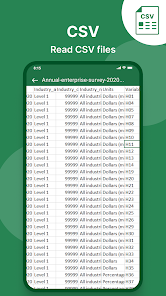
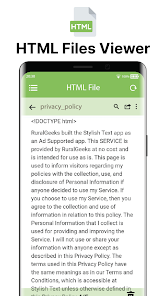
The first advantage is support for multiple document formats. The app supports PDF, DOC, DOCX, XLS, XLSX, PPT, PPTX, and TXT files, meeting most basic office document viewing needs. Users can open files saved on their phone or receive documents from other apps and then view them in the reader.
The interface is designed simply, focusing on finding and opening documents. Files can be sorted by folder, and users can search based on name, size, last modified date, or last viewed time. The favorite feature is also very useful when frequently accessing important documents.
Easily read PDF, Word, Excel, and PowerPoint files
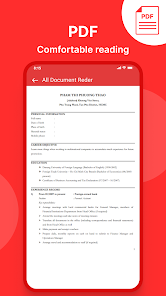
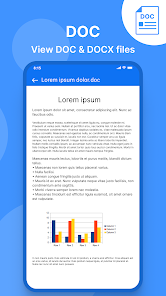
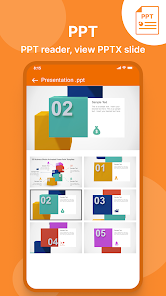
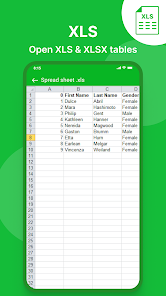
For PDFs, the tool supports zooming in/out, quickly navigating to desired pages, and sharing documents. For Word, DOC and DOCX formats are displayed separately for easy access. Users can also open spreadsheets XLS, XLSX, or view presentations PPT, PPTX directly on their mobile device.
Another plus is the ability to read Office files on your phone without an internet connection for files already saved locally. This is very useful when reading documents while traveling, in areas with unstable internet, or when quickly opening files without using online services.
Document management and processing features
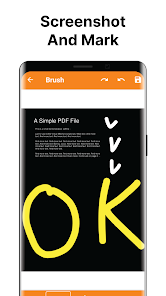
Besides reading files, the app also provides basic management tools such as renaming, deleting, sharing, and adding documents to favorites. The PDF conversion feature supports converting images to PDF or exporting some PDF content into images. Additionally, users can add text to PDFs and customize elements like font size, color, and position.
With daily needs for viewing office documents, these features help reduce the need to install multiple different apps. Users can centralize their documents in one interface and quickly select the file type they want to view.
Review of Office Reader, Document Viewer: Is it worth using?
If your main need is to quickly open Word, Excel, PowerPoint, and PDF documents, the app performs quite well thanks to its easy-to-use interface and automatic file classification system. Users don't need to switch between multiple apps just to check a document received via email, message, or phone storage.
One thing to consider is that the app includes ads and in-app purchases. Additionally, some advanced features may require users to upgrade or grant storage access so the app can scan and manage documents on the device.
The app is better suited for viewing, searching, and managing documents rather than completely replacing professional office software. If you need to create complex spreadsheets, perform deep text editing, or build full presentations, users should still combine it with dedicated tools.
How to use
How to open and find documents
After installation, open the app and grant necessary permissions so the tool can scan files stored on your device. The system will categorize documents into groups like PDF, Word, Excel, PowerPoint, and TXT. Simply select the correct category, find the file you want to view, and tap on the document to open it.
If there are too many files, use the search function instead of manually browsing folders. For frequently accessed documents, you can add them to favorites for quicker access. When sharing files with others, choose the integrated sharing option directly within the document management process.
How to view and process PDFs
When opening a PDF, users can zoom in/out, navigate to specific pages, and share the document. If simple editing is needed, the tool allows adding text to PDFs with several formatting options. This is a suitable solution for quick operations rather than using professional office software.
Conclusion
Office Reader, Document Viewer is ideal for people who need a lightweight tool to read and manage office documents on smartphones. Its ability to support multiple formats, search for files, work offline, read PDFs, and manage documents in one place are notable advantages.
Although it cannot fully replace professional Office text editing software, this application is still worth considering if you mainly want to quickly, easily and conveniently view documents on the Android platform. With a user-friendly interface and multi-format document reading capabilities, it can become a useful tool for students, office workers, and people who frequently handle files directly on their phones.







