
| Version | 1.125 |
|---|---|
| Size | 81 MB |
| Updated | Oct 1, 2026 |
| Category | Tools |
| Requires | Android 7.0 |
| MOD info | Unlocked |
| Google Play | com.tap_to_translate.snap_translate |
MOD features
- Unlocked.
Screen Translator is a powerful tool that helps translate directly on Android devices, allowing users to comfortably enjoy foreign language documents without having to exit or switch back and forth between apps. Thanks to the smart tap-to-translate mechanism, this utility smoothly handles all content from gaming, reading comics, and browsing social media to using international apps. Statistics from Google Play show that the application integrates over 100 languages along with diverse features such as text, image, voice, and camera translation.
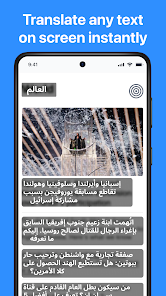
Overview of Screen Translator
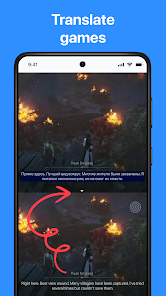
The biggest plus of Screen Translator is its ability to translate right on the display interface. Instead of taking the trouble of taking a screenshot and fumbling to open a separate translation app, you just need to activate it and select the text you want to change. This mechanism proves extremely optimal for in-game conversations, messages, or platforms that do not allow text copying.
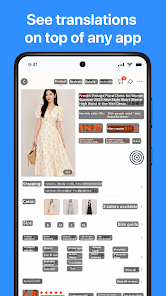
In addition, the application also supports full-screen translation with just a single touch combined with advanced scanning and character recognition technology. Thanks to that, Screen Translator fully meets many diverse needs rather than simply translating regular copied paragraphs.
Translate games, comics, and content on other apps
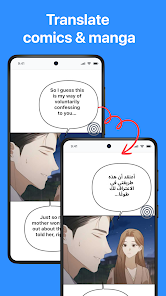
With Screen Translator, you can completely break down language barriers in games without interrupting the match. This is a helpful assistant when the storyline, quests, or guides are entirely in English, Chinese, Japanese, etc. Similarly, comic book fans can also easily grasp the plot without worrying about getting stuck in difficult-to-copy dialogue boxes.
Not stopping at games or comics, this tool also quickly handles messages, posts, comments, or online shopping pages. Every reading comprehension and lookup experience takes place seamlessly right on the device screen.
Image, camera, and voice translation
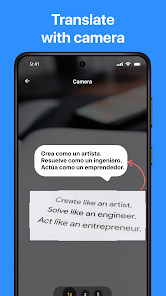
In addition to the main feature, Screen Translator also provides translation solutions via camera lens, available images, or direct voice. You can use the camera to scan menus and signs when traveling, or take advantage of the photo library on your phone to quickly translate stored documents.
The application also integrates a chat mode via Accessibility Service to support automatically filling in translations more conveniently. According to information from Google Play, the system may collect certain data, so ApkUnlimit advises you to carefully read the privacy policy before handling important personal information.
Tips for using and instructions for Screen Translator
When starting with Screen Translator, set up the source and target languages in advance before opening the app to be translated to save time. For short texts, direct translation will be much faster than taking screenshots and processing them manually. When playing games or reading stories, you should choose area scan mode or full-screen translation to optimize speed.
In case the scan results are not accurate, try adjusting the selection frame or ensuring the text display is sharp enough. For images with elaborate fonts and cluttered backgrounds, OCR accuracy may vary depending on the original quality. Especially when using features that require Accessibility Service, only grant permissions if you really need them.
Conclusion
Screen Translator opens up an extremely convenient translation solution right on your Android phone. The perfect combination of full-screen translation, in-game translation, comics, chat, and camera and voice tools makes this an indispensable daily companion. If you regularly interact with foreign languages and want to find a quick and neat translation tool, visit ApkUnlimit to experience it right away.







