
| Version | 9.1.1 |
|---|---|
| Size | 41 MB |
| Updated | Oct 1, 2026 |
| Category | Tools |
| Requires | Android 5.0 |
| MOD info | Premium |
| Google Play | earspy.hearboost.spyearlisten |
MOD features
- Premium Version.
Listen To Next Door is an audio enhancement software for Android that turns your mobile device into a hearing assistant to amplify microphone sounds. This utility is very useful in situations where you need to hear surrounding sounds clearly, such as listening to lectures, conversing, or playing back recordings from your phone. You can use it with headphones or an external microphone to optimize your experience.
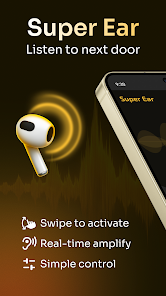
General introduction to Listen To Next Door
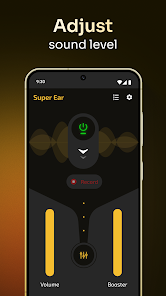
The core feature of Listen To Next Door is the ability to magnify audio captured from the microphone and transmit it directly through headphones. Instead of just raising the regular volume level, the app provides many customization options to suit different spaces. This is an effective solution for capturing sound from a distance, although the actual quality depends on hardware such as the microphone, headphones, and ambient noise levels.
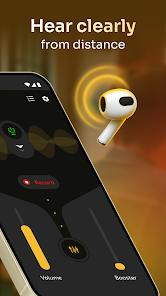
The software integrates a background running mode, maintaining operation even when the screen is locked. In addition, users can easily turn on the auto-recording feature to save and share files when needed. The current release on Google Play also includes many premium tools such as amplification, equalizer, and noise filtering.
Volume boost and frequency band adjustment
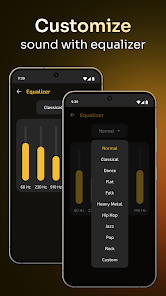
Listen To Next Door features an audio equalizer to fine-tune low, mid, and high frequencies. Depending on the source, changing these parameters will make voices clearer and reduce muffled sounds. The app also supports a noise reduction tool to eliminate background noise when used in crowded places.
For optimal results, you should place your smartphone close to the audio source and use good-quality headphones. Avoid turning the volume too high for long periods because strongly amplified sound can damage your hearing.
Recording features and headphone connection
Besides listening live, Listen To Next Door also allows recording and storing audio for later playback. Support for Bluetooth connectivity and external microphones makes the app more flexible in various situations. You can also easily export or send your recordings.
However, the recording feature must be used responsibly. Recording others without their consent may violate privacy and laws. The developer also emphasizes that the app is strictly for entertainment and assistive purposes, and must never be used for illegal wiretapping activities.
Tips and guide on how to use Listen To Next Door effectively
When you start experiencing Listen To Next Door, put on your headphones first and then check the microphone on your device. Start with a low volume level and gradually increase it until it fits your hearing. In case the sound is not really clear, try adjusting the equalizer instead of just turning up the volume. For environments with loud background noise, users should move the device closer to the area emitting the desired sound.
When using the audio recording feature, remember to check the remaining storage space on your device before recording for a long time. When finished, users should review the recording at a moderate volume and back up essential files. Listen To Next Door does not act as a hearing aid or specialized medical device, so anyone with ear problems should consult a doctor or purchase specialized equipment rather than relying too heavily on the software.
Conclusion
Listen To Next Door brings a practical set of features to amplify, customize, and store audio on Android devices. Thanks to equalizer adjustments, noise filtering, headphone listening, running in the background, and recording, the app well meets personal listening needs in various situations. However, this is only an auxiliary audio solution and cannot replace medical devices. In addition, recording functions must be operated civilly while protecting privacy.







