

| Version | 3.38.0 |
|---|---|
| Size | 146 MB |
| Updated | Oct 1, 2026 |
| Category | Tools |
| Requires | Android 8.0 |
| MOD info | Unlock |
| Google Play | com.snowcorp.stickerly.android |
MOD features
- Unlock.
Sticker.ly is an app designed to create and explore stickers for the Android operating system, allowing users to transform personal photos or videos into unique stickers for use in conversations. The app offers a diverse sticker library with many themes such as memes, anime, animals, sports, celebrities, emoticons, and other rich content.
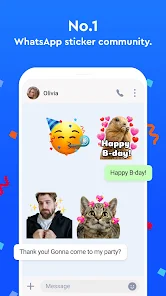
Explore Sticker.ly's sticker library
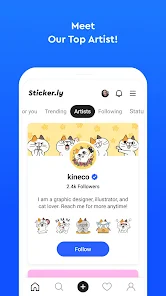
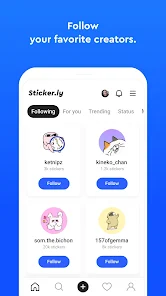
The standout feature of Sticker.ly is the combination of discovering existing stickers and designing your own custom content. Users can search for favorite sticker packs, follow creators or artists to stay updated on new stickers, then use them in chats and status updates.
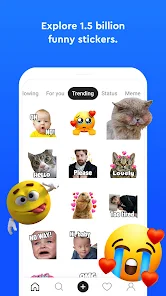
Besides static stickers, the app also supports animated stickers and allows creating stickers from videos using Auto Cut technology. This way, short clips or funny moments can be turned into personalized sticker content.
Create stickers from images and videos
With Sticker.ly, creating a sticker pack is simple and intuitive. You can select an image from your phone, crop the subject to create a sticker, then add annotations for emphasis. The app also allows adjusting the position, size, and angle of the sticker before finalizing it.
For animated content, users can choose a video and use the Auto Cut feature to create animated stickers. This method is especially suitable for memes, expressions, or short moments you want to reuse frequently in conversations.
Share stickers on WhatsApp and Telegram
Once completed, Sticker.ly supports exporting stickers to WhatsApp and Telegram. You can also share sticker packs via link so friends can easily access and use them. The app aims to turn your personal sticker collection into a more interesting way to express emotions while texting.
Google Play currently records over 100 million downloads for the app, developed by NAVER Z Corporation. The current version was updated on 31/08/2026 with performance improvements and bug fixes.
Tips and How-to Guide for Sticker.ly
When creating stickers with Sticker.ly, it's best to choose images with clear subjects and backgrounds that are relatively easy to separate for better results. For stickers with text, use short, readable sentences and place them where they don’t obscure important parts of the image.
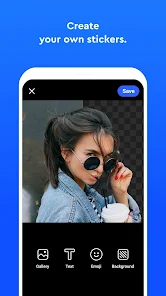
If you're creating a personal sticker set, maintain a consistent theme or style so the entire pack feels cohesive. For videos, prioritize short clips with clear expressions or movements. The app requires access to photos and videos for features related to creating, saving, or downloading content, so check permissions before use.
Conclusion
Sticker.ly is a tool suitable for those who want to find, create, and share personal stickers on Android. From regular images, memes, to videos and animated stickers, the app provides various ways to turn familiar content into interesting stickers. The ability to export stickers to WhatsApp and Telegram also makes using your creations in conversations more convenient.







