

| Version | 7.1.0 |
|---|---|
| Size | 28 MB |
| Updated | Oct 1, 2026 |
| Category | Tools |
| Requires | Android 7.0 |
| MOD info | Premium |
| Google Play | org.zwanoo.android.speedtest |
MOD features
- Premium.
Speedtest by Ookla is a network speed testing software for Android devices, allowing users to quickly evaluate the performance of Wi-Fi and mobile data connections. With just a single tap, users can view information about download speed, upload speed, latency, and network stability. The app is extremely useful when you want to find the cause of a slow network, check connection quality, or evaluate your connection before playing games, making video calls, or streaming online content.
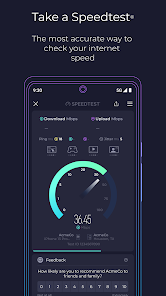
Overview of Speedtest by Ookla
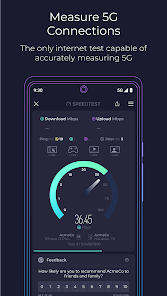
The highlight of Speedtest by Ookla is its minimalist interface while still providing comprehensive and useful data. When starting a test, the app measures download and upload speeds while displaying latency metrics so users can easily grasp the network situation. A real-time graph helps track connection fluctuations throughout the measurement process, rather than just showing a single overall number.
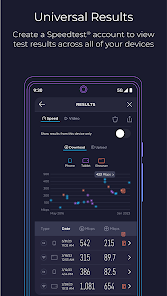
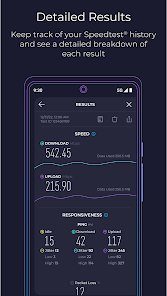
The app supports testing via a single connection or multiple connections simultaneously to simulate file downloading or evaluate the maximum speed the connection can achieve. Results are stored in history with detailed reports and sharing options, making it easy for users to send information to technicians or Internet Service Providers (ISPs) when troubleshooting is needed.
Testing Wi-Fi and Mobile Networks
With Speedtest by Ookla, you can test both your home Wi-Fi and mobile data connections. The Speedtest map feature displays coverage information of carriers based on actual data, helping users reference connection quality in areas they frequently travel to. The app also supports evaluating 5G networks and displaying information related to mobile network performance.
In addition to traditional speed testing, the app features a video test to evaluate the streaming capability of your connection. The results help users determine whether their current network is suitable for video streaming and provide suggestions to improve the online content playback experience.
Troubleshooting and Result Analysis
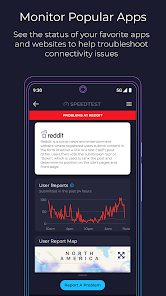
An additional feature of Speedtest by Ookla is Downdetector, which helps monitor the operational status of various online apps and services. When a platform becomes inaccessible, users can check whether the issue stems from their personal network or the service itself. The test history also allows comparing connection quality across different times, locations, or networks.
Tips and Guide for Using Speedtest by Ookla
To achieve stable results with Speedtest by Ookla, it is recommended to pause bandwidth-heavy activities such as downloading files, watching high-definition videos, or updating apps. When testing Wi-Fi, stand close to the router and run a few tests at different times. If you want to evaluate your Internet plan, test using both Wi-Fi and a wired connection on a suitable device for comparison.
You should not rely solely on download speed. Ping and stability are also crucial when playing online games, making video calls, or using services that require quick responsiveness. Additionally, Speedtest results reflect network conditions at the exact time of measurement, so a single test does not necessarily represent the connection quality throughout the entire day.
Conclusion
Speedtest by Ookla is a useful tool for testing Internet speed and monitoring Wi-Fi and mobile network performance on Android. From measuring downloads, uploads, ping, connection graphs, and result history to coverage maps and video testing, the app provides complete information to help users better understand their connection. If you frequently experience slow network speeds or want to check connection quality before using online services, this is an app worth trying.







