

| Version | 10.28.001 |
|---|---|
| Size | 18 MB |
| Updated | Oct 1, 2026 |
| Category | Tools |
| Requires | Android 6.0 |
| MOD info | Unlock Pro |
| Google Play | com.riteshsahu.SMSBackupRestorePro |
MOD features
- Unlock Pro.
SMS Backup & Restore Pro is an Android software designed to help users back up and restore SMS, MMS, and call logs on their devices. Instead of worrying about losing data after switching phones, reinstalling, or accidentally deleting important conversations, you can easily create backups and store them for future use. This is the Pro version without ads, and it also includes advanced features to better protect and manage your backups.
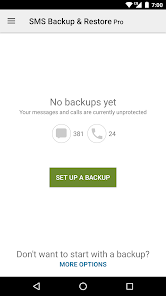
How does the SMS Backup & Restore Pro app support data backup?
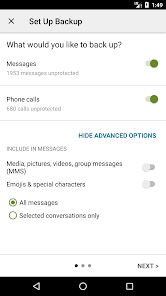
The standout feature of SMS Backup & Restore Pro is its ability to create backups for SMS, MMS, and call logs in XML format. Users can back up all data or select specific conversations. Backups are performed directly on the device before uploading to cloud storage services like Google Drive, Dropbox, or OneDrive.
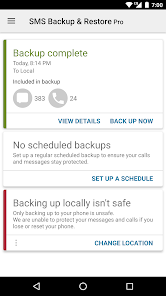
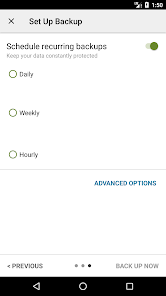
The software also allows setting up automatic backup schedules at regular intervals. This is especially useful for people who frequently receive important messages and want to maintain updated backups without manual intervention. Additionally, backed-up data can be searched and viewed directly within the app, making it easier to check content before restoring.
Transfer Messages to a New Phone
When switching Android phones, SMS Backup & Restore Pro can transfer SMS and call logs from your old device to the new one. The app supports data transfer between two devices via Wi-Fi Direct or by using previously saved backups. Backup formats are not dependent on Android versions, so data can be transferred between compatible devices.
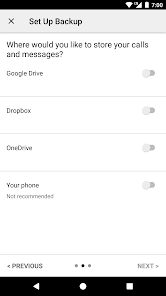
The Pro version also supports compression and encryption of backups, as well as using WebDAV as a storage location. These features are helpful if you want more control over how your personal message data is stored.
Tips for Using and Backing Up
First, create a full backup and verify that the file can be opened or recognized normally. If you often receive new data, consider setting up automatic backups to reduce the risk of losing recent messages. For important data, it's recommended to keep at least one copy outside your phone, such as on cloud storage services or another device.
One important thing to note is that the app can only restore data if a backup already exists. SMS Backup & Restore Pro is not a tool for recovering deleted data that was never backed up. Additionally, the app uses its own XML format and cannot directly restore backups created by other software with incompatible formats.
Conclusion
SMS Backup & Restore Pro provides a comprehensive solution for backing up, managing, and restoring SMS, MMS, and call logs on Android devices. Features like automatic backup, data transfer between phones, cloud storage support, and compression/encryption options in the Pro version make it suitable for users who want to actively protect their communication data. Most importantly, always check your backups regularly and keep a copy in another location before deleting data or resetting your device.







