
PureStatus: Status HD Sắc Nét MOD APK 2026.13 (Premium)
⬇ Download APK (76 MB)| Version | 2026.13 |
|---|---|
| Size | 76 MB |
| Updated | Oct 1, 2026 |
| Category | Photos & Video |
| Requires | Android 7.0 |
| MOD info | Premium |
| Google Play | com.damtechdesigns.purepixel |
MOD features
- Premium
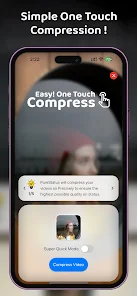
PureStatus is a dedicated tool designed to process and compress videos and images to minimize blurring when uploading to WhatsApp Status. Instead of uploading bulky original files, users can rely on PureStatus to shrink the file size optimally before sharing. Developed by DamTech Designs, the 2026.13 version of the app now comes integrated with various editing utilities and a smart AI assistant.
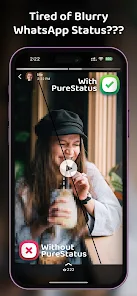
Overview of PureStatus
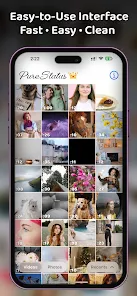
The core mission of PureStatus is to fine-tune and compress the size of videos and images so they are perfectly compatible with WhatsApp Status. You simply select a file from your storage, compress it in a few basic steps, and push it straight to your status. Note that the app cannot upgrade the quality of the original file but focuses solely on reducing its size, so you should prepare high-definition files from the start.
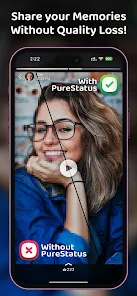
Alongside compression, PureStatus features a handy built-in video editing toolkit. Users can trim, add text, apply stickers, insert background music, or detach audio from any video. The app offers a rich text system with various fonts, borders, shadow effects, and lighting, allowing you to finalize your creation right within the app without needing third-party software.
Compressing videos and splitting content for WhatsApp Status
One of the most valuable features of PureStatus is the Video Status Splitter, which automatically cuts long videos into short, bite-sized clips to fit the status duration limit. According to Google Play, this tool splits files into 30-second intervals. This enables users to easily handle long footage without having to manually trim it in external apps.
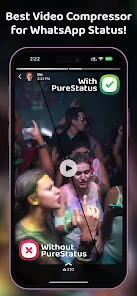
The app also strongly supports optimizing images before posting them to your Status. However, a clear distinction must be made between compressing file size and upgrading resolution: PureStatus cannot turn poor-quality footage into true HD. The final visual quality still heavily depends on the initial file quality and how WhatsApp processes it.
Video editing tools and content addition
If you want to create a polished Status before posting, PureStatus provides features like cropping frames, adding stickers, text, and inserting audio. The new version adds alignment guides to help position stickers or text accurately on the screen. The text tool specifically supports up to 12 font styles along with eye-catching effects such as neon text, drop shadows, outlines, or custom background colors.
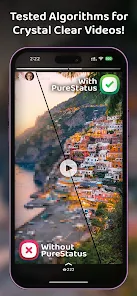
Additionally, the app integrates an AI assistant to help users get familiar with the features and quickly resolve any issues. At ApkUnlimit, the current version comes with ads and in-app purchase options; certain perks like watermark removal require upgrading to the Premium package.
Tips and instructions for using PureStatus
For the best results, start with high-definition photos or videos. Open PureStatus, select the content you want to post, compress it, and remember to check the final file before uploading it to WhatsApp Status. For vertically shot videos, the frames will display better and fit the phone's status interface more naturally.
You should avoid cutting or re-editing videos after completing the compression process with PureStatus, as multiple processing steps can degrade image quality. If a video is too long, use the built-in splitting feature right away before sharing. Furthermore, preview the display to make sure your text and stickers are placed exactly where you want them.
Regarding privacy, Google Play notes that the app may collect personal information and share certain data with third parties, although data remains encrypted during transit. If you frequently work with highly personal image or video files, carefully consider the app permissions before use.
Conclusion
PureStatus perfectly addresses a practical need: optimizing images and videos for WhatsApp Status without losing quality. The combination of an HD compressor, smart video splitting feature, rich editing tools, and AI assistance makes this app a powerful companion right on your mobile device. If you are always frustrated by pixelated videos after posting a status, PureStatus on ApkUnlimit is definitely a solution worth trying.