

Pingo! by Findmykids MOD APK 2.11.96-google (Premium)
⬇ Download APK (91 MB)| Version | 2.11.96-google |
|---|---|
| Size | 91 MB |
| Updated | Oct 1, 2026 |
| Category | Tools |
| Requires | Android 8.0 |
| MOD info | Premium |
| Google Play | org.findmykids.child |
MOD features
- Premium.
Pingo is a companion tracking app for Findmykids, designed to be installed on a child's or teenager's phone. It connects the child's device to the parent's tracking system, allowing parents to view GPS location, movement history, and stay in touch with family members. Pingo currently has over 10 million downloads and is developed by LETEM LTD.

Pingo Overview
What makes Pingo stand out is that it doesn't work like a typical map tool. Users need to install Findmykids on the parent's device, then install Pingo on the child's phone and enter the connection code provided during registration. Once the two devices are linked, parents can use the tracking features supported by the Findmykids system.
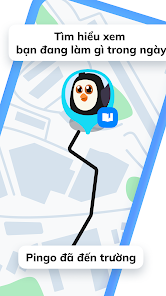
The app focuses on helping parents keep track of their child's location via GPS. The map displays the current location and daily activity history, making it easy for adults to follow their child's journey when needed. In addition to location tracking, Pingo also supports family chat, voice messages, and several other connection features.
Tracking Your Child's Location and Activity
The GPS feature is one of the highlights of Pingo. Once the device is connected, location data is sent to the Findmykids system so parents can view it on the map. Daily activity history also helps adults visualize the places their child has visited.
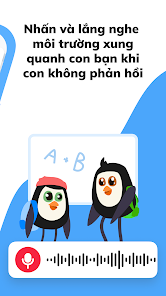
Pingo also supports notifications for set locations, such as when a child arrives at school or returns home. Other features can help manage phone usage time and alert you when your child's device is running low on battery. However, actual performance may vary depending on the device, permissions, and the service plan in use.
Family Connection and App Setup
Beyond location tracking, Pingo also supports a family chat feature so parents and children can communicate directly. The app supports voice messages and chat content. Certain permissions such as microphone, camera, photos, contacts, or accessibility services may be requested depending on the features you use.
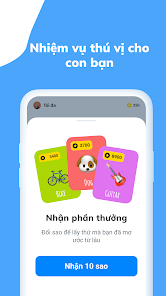
When installing, it's a good idea to carefully review the permissions the app requests and only enable those needed for the features you want to use. Since Pingo is directly tied to location data and personal information, parents should also have an open conversation with their child about how the app is used, rather than treating it as a simple tracking tool. Google Play currently states that the app may collect location, personal information, and other data; data is encrypted during transmission.
Pingo Tips and Guide
To keep Pingo running smoothly, first install Findmykids on the parent's phone and Pingo on the child's device. Then enter the correct connection code to pair the two devices. Grant the necessary location permissions and check Android's battery-saving settings if the location isn't updating reliably.
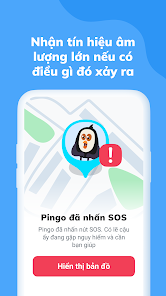
When using GPS, maintain an Internet connection and make sure your child's phone has enough battery. If you need to track a journey, check the location history instead of constantly requesting manual updates. For permissions like microphone or accessibility, only enable them when you actually need the corresponding feature.
Conclusion
Pingo is a companion app for children's devices within the Findmykids ecosystem, focused on GPS location, family connection, and helping parents stay informed about their child's journey. When set up properly and used transparently within the family, it can be a convenient tool for management and communication on Android phones.







