

| Version | 5.7.1 |
|---|---|
| Size | 31 MB |
| Updated | Oct 1, 2026 |
| Category | Photos & Video |
| Requires | Android 6.0 |
| MOD info | Unlock |
| Google Play | photo.manager.private.photogallery |
MOD features
- Unlock.
Photo Gallery is a dedicated Android image library application that helps users easily manage photos, videos, GIFs, and albums on their devices through an intuitive and user-friendly interface. The app supports automatic content sorting, allowing you to quickly search, review, edit, or share images without relying entirely on the system's default applications.
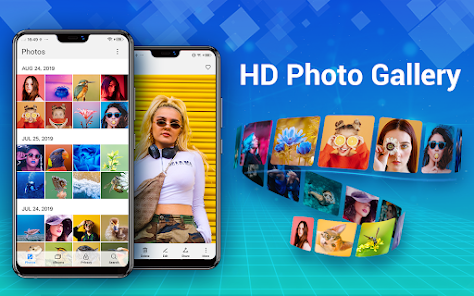
Overview of Photo Gallery
One of the standout features of Photo Gallery is its ability to collect and organize photos and videos into well-structured collections. Users can create custom albums, mark favorites, and manage images by folder. The app also supports storage on external memory and SD cards, making it ideal for devices that frequently store large amounts of image data.
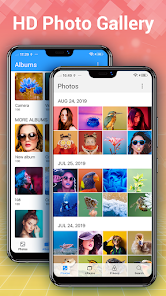
Besides viewing images, the app integrates basic editing tools. You can apply filters, add text, stickers, drawing effects, or create photo collages from multiple images. Favorite photos can also be set as wallpapers directly from the app.
Manage Images and Videos by Album
Photo Gallery allows users to create and manage albums for organizing images by theme. Actions such as copying, moving, renaming, or deleting photos and videos can be performed directly within the library. Search functionality has also been improved with content sorting by time or location when such information is available in the file.
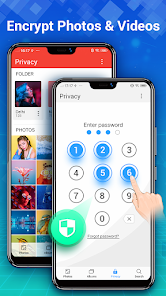
While browsing, users can check detailed information about each image or video. The slideshow mode turns an album into an automatic collection, which is very convenient for reviewing saved moments without continuous manual interaction.
Edit and Protect Private Images
In addition to library management, Photo Gallery offers editing and collage creation features. Users can choose layout templates, change backgrounds, add stickers, text, or filters before saving edited images.
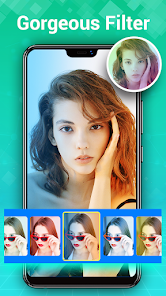
The app also addresses the need for privacy protection with a Gallery Vault feature and password-protected image security. When using encryption or file management features on Android 11 and above, some advanced memory access permissions may be required. You should carefully review app permissions before granting them and only enable those that are truly necessary.
Tips and Guide for Photo Gallery
After opening the app, allow access to folders containing photos and videos you want to manage. It's recommended to create albums based on themes like family, work, travel, or downloaded images to make future searches easier.
For important images, always double-check before deleting or moving them. If using the private section, set up an appropriate protection method and remember your password. When editing images, consider saving a copy of the original if you want to revert to the initial version later.
Conclusion
Photo Gallery provides a comprehensive solution for managing image libraries on Android, combining photo viewing, video playback, album creation, editing, collage making, and content privacy protection. Its ability to work with folders and SD cards also makes it suitable for users who need to manage various types of image files on the same device.







