

Node Video MOD APK 9.0.1 (Premium)
⬇ Download APK (152 MB)| Version | 9.0.1 |
|---|---|
| Size | 152 MB |
| Updated | Oct 1, 2026 |
| Category | Photos & Video |
| Requires | Android 7.0 + |
| MOD info | Premium |
| Google Play | com.shallwaystudio.nodevideo |
MOD features
- Activate Premium Version
- No Ads
Node Video is a video editing app aimed at those who want to create highly customizable content right on their smartphone. Instead of stopping at simple cut-and-join operations like ordinary editors, this tool focuses on multi-layer video editing, with effects and motion adjusted in fine detail.
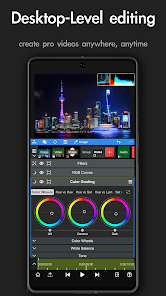
Node Video – A solution for in-depth video editing right on mobile
The app is suitable for content creators, short-video makers, or anyone who wants to explore video post-production more deeply on a mobile device. Thanks to its diverse set of tools, beginners may need time to get familiar, but in return there is plenty of room to experiment with creative ideas.
Key features
Layer-based video editing
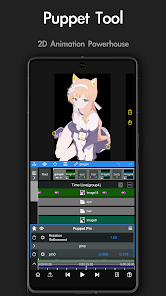
One of the app's strengths lies in its ability to handle multiple layers of content at once. Users can combine video, images, text, and other elements in a single project to create more complex compositions.
Layer-based editing gives you greater control, especially when you want to place multiple objects in different positions or create separate motion for each element.
Keyframes and motion control
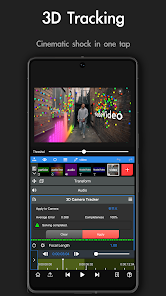
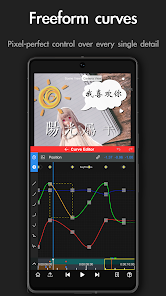
Node Video is equipped with tools that support creating motion over time. Keyframes let you set an object's state at multiple points in time, forming changes in position, size, rotation angle, or other properties.
This is a useful feature when you want to create video segments with smooth and precise motion. Users can start with simple movements before trying more complex effects.
Rich visual effects
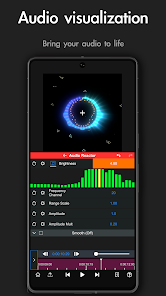
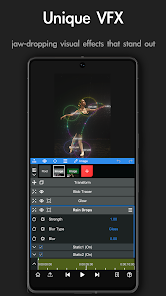
The app offers many image-processing tools and effects that give videos a distinctive look. Users can combine multiple effects on each layer to create their own signature style.
However, overusing too many effects at once can make the video look cluttered and increase processing load. A simple but well-controlled design often produces a more visually appealing result.
Masks and advanced operations
Tools like masks help users control the visible area of a content layer. This is the foundation for many post-production techniques such as creating transition zones, compositing, or building effects for specific regions.
For beginners, it is best to learn each function separately and then practice with short projects. Once you understand the principles, you can combine multiple tools to create more complex effects.
Suitable for creative video
The tool can be used to make short videos, social media content, intros, motion graphics, or personal projects that require many effects. Its high customizability means users are less constrained by ready-made templates.
Pros and things to keep in mind
The advantage of Node Video is that it provides many in-depth editing tools right on a mobile device. The ability to work with layers, keyframes, masks, and effects gives users more control when creating videos.
One thing to keep in mind is that the rich feature set can create a fairly steep learning curve. Complex projects can also consume a lot of your phone's resources. Beginners should start with basic operations and gradually increase the difficulty instead of applying too many effects from the start.
Conclusion
Node Video is a choice worth considering for anyone who wants to improve their video editing skills directly on their phone. It goes beyond simple cut-and-join tools, expanding creative possibilities with its system of layers, keyframes, masks, and diverse effects. If you are willing to spend time learning and have a device powerful enough to handle complex projects, this can be a useful tool for your video content creation process.







