
| Version | 1.2.4 |
|---|---|
| Size | 20 MB |
| Updated | Oct 1, 2026 |
| Category | Tools |
| Requires | Android 8.0 |
| MOD info | Premium |
| Google Play | com.nexfy.launcher |
MOD features
- Premium Version
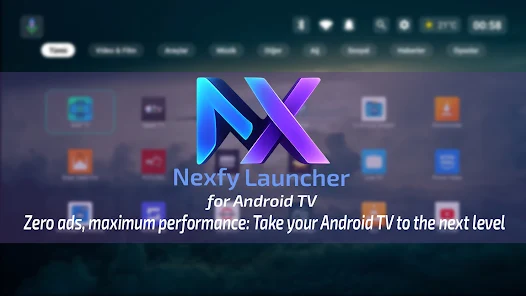
Nexfy Launcher is a special home screen replacement app designed for Android TV, Google TV, and compatible TV Boxes. Instead of applying a traditional interface filled with clutter, this app focuses on a minimalist screen, helping users quickly access their frequently used apps. Alongside flexible customization features, Nexfy Launcher also supports voice control, AI assistant, weather information, and network performance monitoring tools.
Overview of Nexfy Launcher
The highlight of Nexfy Launcher is its interface specifically designed for remote control navigation. The UI is optimized for using navigation keys on a TV remote, while allowing users to pin favorite apps to the home screen for fast launching. The simple layout eliminates unnecessary elements, creating a more intuitive space for TV viewing.
The app is also built with a resource-saving approach, making it suitable even for Android TV devices with modest hardware specs. The developer states that the launcher is optimized to minimize unnecessary CPU and RAM usage when running in the background. However, actual performance still depends on the hardware, Android TV version, and the number of installed apps on the device.
AI, Voice Control, and Live Wallpapers
One of the standout features of Nexfy Launcher is its integrated AI system. Users can use voice commands from the remote to open apps, perform certain actions on the TV, or interact with the built-in AI chatbot within the launcher. This helps reduce the need for text input using an on-screen virtual keyboard on a large display.
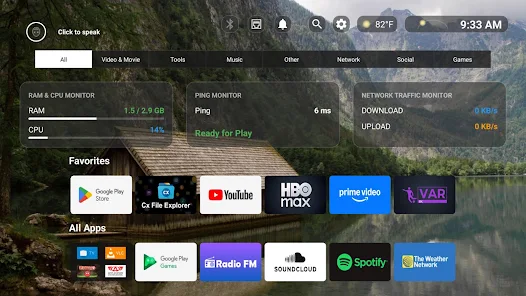
The interface also provides various wallpaper options. Users can use static wallpapers from the library or choose dynamic atmospheric backgrounds to make the TV screen feel more vibrant. Google Play also mentions an AI wallpaper generation infrastructure, further expanding interface customization possibilities.
Weather and Network Monitoring Tools
Nexfy Launcher doesn't just simply change the interface; it also integrates many useful features directly on the home screen. The weather feature supports multiple data sources, allowing users to filter according to their preferences. As a result, weather information can be displayed right on the TV without opening separate apps.
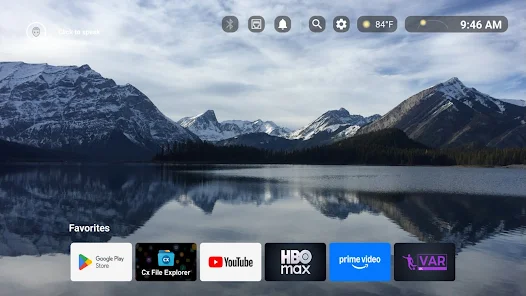
For those who frequently watch online content or play games on a TV Box, network tools are also very convenient. Nexfy Launcher can display real-time network traffic and ping indicators, helping users easily check connection status when experiencing lag or slow response from services.
Tips and Usage Guide for Nexfy Launcher
When starting with Nexfy Launcher, you should pin your frequently used movie-streaming, music, or utility apps to the home screen. Avoid adding too many apps to keep the interface neat. Afterward, you can choose the wallpaper, layout, and features that suit your TV size.
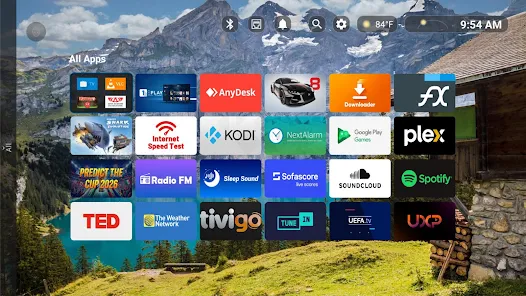
If you regularly watch online content, pay attention to the ping indicator and network traffic when experiencing lag. This information helps determine whether the cause lies in the connection or the streaming app. When using voice control and AI features, you should check the permissions requested by the launcher and only enable functions you truly need.
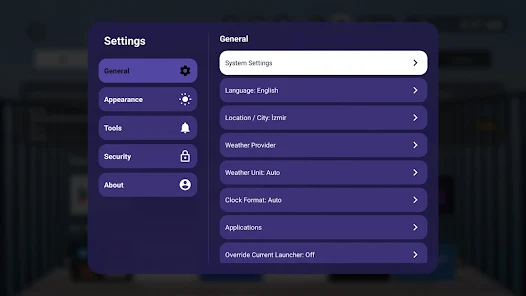
Nexfy Launcher uses AccessibilityService to recognize remote control actions such as Home, Back, or custom shortcuts. According to developer information on Google Play, this service is used to handle button actions and does not collect, store, or share personal data through the Accessibility API.
Conclusion
Nexfy Launcher delivers a minimalist, fast Android TV home screen integrated with many useful tools. From AI, voice control, live wallpapers, weather, to ping and network traffic monitoring—the app not only changes the interface but also adds plenty of utilities to your TV. If you want to customize your Android TV home screen in a clean and smart style, Nexfy Launcher is a worthy choice to try.







