

| Version | 4.1.1 |
|---|---|
| Size | 41 MB |
| Updated | Oct 1, 2026 |
| Category | Tools |
| Requires | Android 5.0 |
| MOD info | Premium |
| Google Play | com.andatsoft.myapk.fwa |
MOD features
- Premium.
My APK is an application designed to manage and backup APK files on Android devices, suitable for users who want to track and control installed applications. The app supports viewing the list of apps, backing up APK files, extracting install packages, and handling multiple formats such as APK, APKS, APKM, and XAPK.
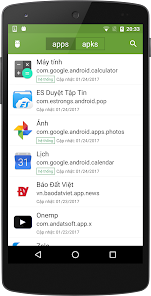
Overview of My APK
The standout feature of My APK is its ability to directly manage applications through a centralized interface. Users can filter system apps, personal apps, bundle apps, or disabled packages. The list can also be sorted by name, package name, installation date, update date, or file size.
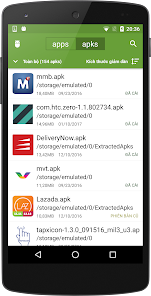
This app is especially useful when you want to keep a copy of an app's installation before uninstalling or transferring it to another device. APK files are saved to internal storage or SD card through the built-in file manager within the application.
Backup and Extract Apps
My APK supports extracting installed apps into APK files or corresponding packages. The batch processing feature allows selecting multiple apps at once, saving time compared to handling each app individually. Extracted files can also be compressed into ZIP format for convenient storage or sharing.
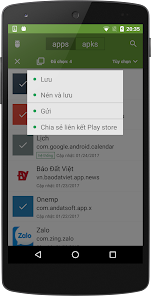
For apps using split APK structure, support for APKS, APKM, and XAPK makes it easier to manage installation components. However, the ability to backup or fully install may be affected by how the original app is packaged and Android OS limitations on specific devices.
Check App Information and Manage Apps
Besides backup functionality, My APK also provides detailed information about each app. Users can check package name, version, permissions, signatures, minimum SDK, and components such as activities or services used by the app.
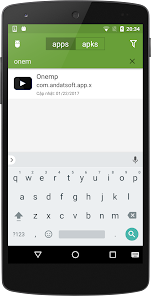
The search feature helps quickly locate apps by name or package name. Combined with filters and list sorting, you can easily identify apps consuming large storage space or find a specific package without manually browsing the entire list.
Tips and Guide for Using My APK
After opening My APK, use filters to quickly navigate to the desired app group. If you want to back up, select the app and use the APK extraction feature, then choose an appropriate save directory. For multiple apps, consider creating separate folders by category for easier retrieval later.
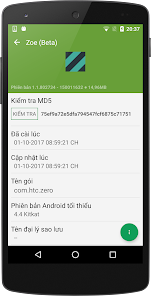
Before uninstalling an app, backing up its installation file can help retain the version currently in use. However, APKs don't always contain all personal or app data. If you want to transfer an app to another device, check both accompanying data and Android version compatibility.
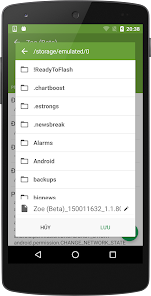
When installing APKs extracted from outside Google Play, verify the file source and app signature before use. Avoid installing APK packages from unknown sources just because they resemble familiar apps.
Conclusion
My APK is a useful tool for Android users who want to backup, extract, and manage installed applications. Its ability to handle APK and various split APK formats, combined with filters, search, built-in file manager, and detailed app information, makes software management on smartphones easier and more proactive.







