

| Version | 1.37.4 |
|---|---|
| Size | 38 MB |
| Updated | Oct 1, 2026 |
| Category | Tools |
| Requires | Android 7.0 |
| MOD info | Premium |
| Google Play | ru.gavrikov.mocklocations |
MOD features
- Premium.
Mock Locations is an app that lets you simulate GPS coordinates on Android devices, allowing users to choose any location to test how apps handle changing geographic data. This feature is especially useful for developers and testers who need to simulate multiple locations without physically traveling.
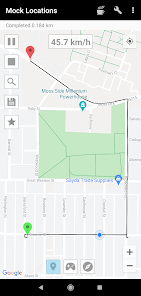
Overview of Mock Locations
Instead of using your real location, Mock Locations lets users choose any coordinates to simulate on the Android operating system through a location simulation mechanism. You just need to find a place on the map, mark it, and apply it as the simulated location.
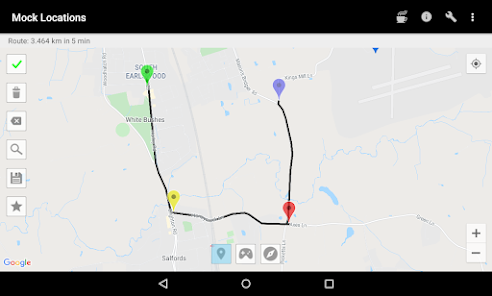
The app supports many testing scenarios. For example, developers can test map apps or location services without visiting the location in person. Changing locations is also easy to do so you can compare app performance across different regions.
Setting Up a Simulated GPS Location
Mock Locations provides a map interface for users to select their desired location. After choosing the area you want to test, you can place a marker and start simulating. This location data will be passed by the Android system to apps that support simulated data, depending on each app's permissions and how it works.
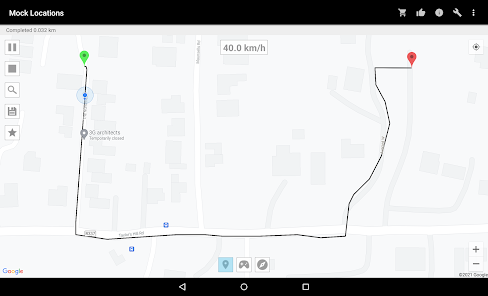
In addition to selecting a fixed point, some versions also support simulating movement along a route. This feature is very useful when testing functions that require continuous GPS data, such as route tracking or location changes over time.
Uses in Testing and Development
For programmers, Mock Locations makes testing much easier. You can simulate locations in many different areas to test features like location-based content display, geofencing, maps, or other GPS-related functions.
However, simulated location data is not the same as a real location. Some apps may detect and refuse to use this data. Therefore, test results should be evaluated together with real data and other conditions such as network or sensors to make a more accurate assessment.
Tips for Using Mock Locations and Instructions
To get started, enable developer options on Android, then go to Select mock location app. Choose Mock Locations as the mock location app, then open the app and select a place on the map.
After you finish testing, turn off the feature or switch to a state where the simulation app is not in use. This helps prevent other apps from receiving incorrect data. If an app does not respond correctly to the new location, check its location permissions and whether it can detect mock GPS.
Conclusion
Mock Locations is a useful tool for simulating GPS locations on Android, especially during the development and testing of location-based apps. The ability to choose points on a map and simulate location changes makes the testing process more flexible. Users should use the tool for its intended purpose and keep in mind that some services may detect or prohibit simulated data.







