

| Version | 6.71.15-Silver |
|---|---|
| Size | 17 MB |
| Updated | Oct 1, 2026 |
| Category | Tools |
| Requires | Android 5.0 |
| MOD info | Premium |
| Google Play | com.mixplorer.silver |
MOD features
- Premium.
MiXplorer Silver File Manager is a premium file management tool designed specifically for the Android operating system, integrating file browsing and processing, decompression, document viewing, cloud storage management, and network connectivity. The Silver version comes with additional utilities such as Archive, Image, Tagger, and PDF, making it suitable for users who need more advanced features than a standard file manager.
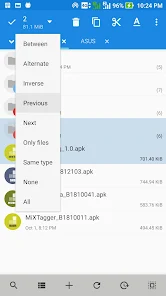
Overview of MiXplorer Silver File Manager
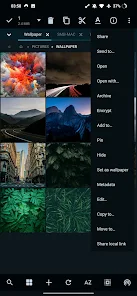
The standout feature of MiXplorer Silver File Manager is its highly customizable interface. Users can adjust colors, layout, menus, action buttons, sorting, and display mode for each folder. The app also supports multiple tabs and a dual-pane mode when using landscape screens, making it easier to copy or move files between locations.
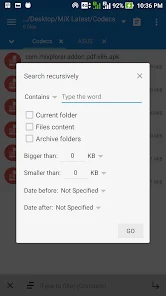
In addition to internal storage and SD cards, the app can connect to various cloud storage services as well as network protocols such as SMB, FTP, SFTP, WebDAV, or HTTP. As a result, users can manage files on phones, computers, network servers, and online storage platforms from a single interface.
Flexible file management and processing
MiXplorer Silver File Manager supports basic operations such as copying, moving, renaming, deleting, and creating folders. The Tasks feature allows users to build queues to handle multiple tasks at once, which is very useful when copying or transferring data between multiple folders.
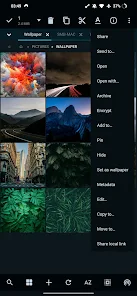
Archive file handling is another highlight. The app supports creating and extracting many formats such as ZIP, 7z, TAR, GZIP, XZ, and Zstandard, and can also open additional archive formats. Some ZIP files can even be edited directly without fully extracting them.
Cloud, network, and built-in tools
Users can connect MiXplorer Silver File Manager to many cloud storage services such as Dropbox, OneDrive, Box, Mega, pCloud, and platforms that support WebDAV. For local networks, the app supports SMB and multiple file transfer protocols, making it suitable for sharing data between phones and computers or servers.
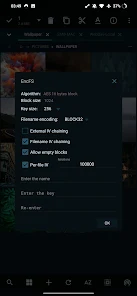
MiXplorer Silver also includes an image viewer, media player, PDF and EPUB reader, HTML viewer, text editor, and code editor. The app supports file encryption and decryption in several formats, and can also work with encrypted containers such as Gocryptfs or EncFS. Users with rooted devices can also perform additional advanced system management operations.
Tips and guide for using MiXplorer Silver File Manager
After opening the app, add frequently used folders to Bookmarks for quick access. When you need to work between two locations, switch to dual-pane mode on a landscape screen and drag and drop files between panes. For large tasks, use Tasks to monitor and process them in order.
If you want to connect USB storage or an external drive, add the device through Document Provider and grant the appropriate access permissions. When using SMB, FTP, SFTP, or WebDAV, double-check the server address and login details. For important files, back them up before performing batch operations or using root permissions.
Conclusion
MiXplorer Silver File Manager is a comprehensive file manager for Android users who want deeper control over their data. Support for tabs, dual panes, task queues, multiple archive formats, cloud storage, network protocols, document readers, editing tools, and security features helps the app meet a wide range of needs in one place. With such a large number of options, beginners may need time to get familiar with it, but they will gain flexibility and very broad file management capabilities.







