
| Version | 3.0.19 |
|---|---|
| Size | 15 MB |
| Updated | Oct 1, 2026 |
| Category | Photos & Video |
| Requires | Android 7.0 |
| MOD info | Premium |
| Google Play | de.herber_edevelopment.m3uiptv |
MOD features
- Premium.
M3U IPTV is an IPTV streaming app designed specifically for Android and Android TV devices, allowing users to easily add personal channel lists via M3U, M3U8 formats, or Xtream Codes accounts. The app does not provide built-in TV channels or content packages, so users need to use legal playlists from their service provider.
Overview of M3U IPTV
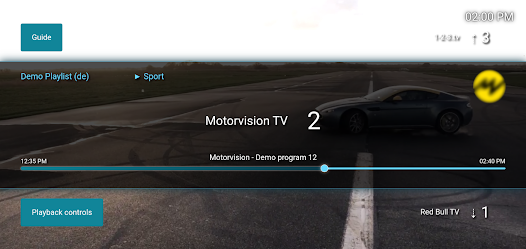
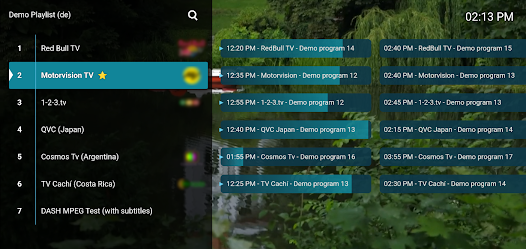
The highlight of M3U IPTV is its interface optimized for phones, tablets, and large TV screens. After adding a playlist, users can organize channels by group for easy searching. The app also supports EPG, which displays broadcast schedules if the IPTV source provides compatible data.
Support for both M3U and M3U8 gives users flexibility when importing sources. Playlists can be added via URL or a file saved on the device. With _Xtream Codes_, users can accurately enter the server information, username, and password provided by their provider.
Managing playlists and TV channels
M3U IPTV allows managing multiple playlist sources and easily switching between lists when needed. Favorite channels can be marked for quick access, while the fast channel switching feature helps save search time when watching live TV.
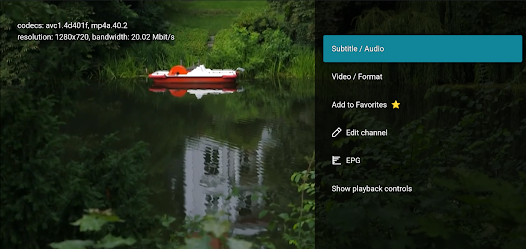
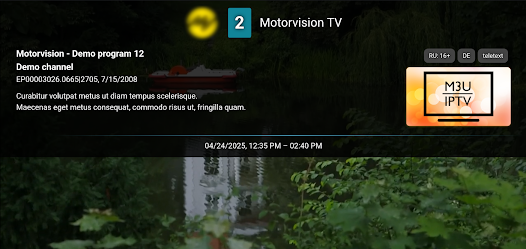
EPG is a useful feature if the playlist supports program data. Instead of only seeing channel names, users can view the currently airing program and upcoming content in the schedule. Some playlists also support catch-up or program archiving, but this capability depends entirely on the streaming source provider.
Watching IPTV on Android TV
On Android TV or TV Box, M3U IPTV is optimized for remote control operation. The large interface makes it easier to switch channel groups, select programs, and open favorites compared to a typical phone interface.
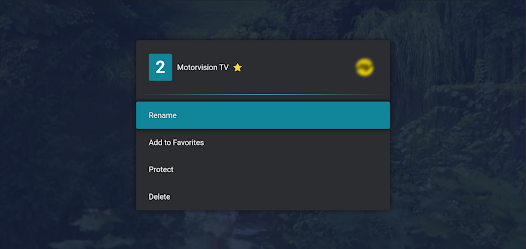
The app also offers multiple interface options with light mode, dark mode, and different accent colors. Users can adjust the interface to suit their TV viewing space or use it on a phone screen.
Tips and guide for using M3U IPTV
To get started, prepare a legal M3U or M3U8 playlist from your IPTV provider. Open M3U IPTV, choose the method to add a playlist, then enter the URL or select an M3U file saved on your device. If using Xtream Codes, enter the server, username, and password exactly as provided.
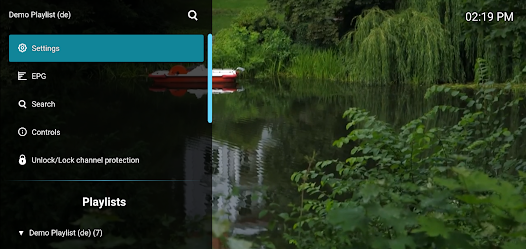
If the list has many channels, use the grouping and favorites features to shorten search time. If EPG doesn't display, check whether your provider supports program guide data. If video won't play, the cause may come from the playlist, IPTV server, stream format, or network connection rather than necessarily the app.
Most importantly, M3U IPTV is only a player and does not provide content itself. Users should use playlists and services they have the right to access, avoiding sources of unknown origin or copyright infringement.
Conclusion
M3U IPTV offers a clean solution for streaming IPTV on Android and Android TV through personal playlists. Support for M3U, M3U8, Xtream Codes, EPG, favorite channels, and remote control makes the app suitable for many online TV viewing needs. Not providing content sources itself also helps users proactively choose an IPTV service that fits their needs and usage rights.







