
| Version | 1.0.8 |
|---|---|
| Size | 27 MB |
| Updated | Oct 1, 2026 |
| Category | Tools |
| Requires | Android 8.0 |
| MOD info | Unlocked |
| Google Play | biz.cloudex.android.filemanager |
MOD features
- Unlocked.
Kura is a file management application for the Android operating system developed by CloudEx Inc., offering a solution to centralize all data operations into an extremely intuitive interface. This tool supports smooth interaction with device memory, SD memory cards, OTG USB ports, and popular online storage platforms. As a result, users can easily search, organize, copy, or transfer data locations without having to switch back and forth between multiple cumbersome applications.
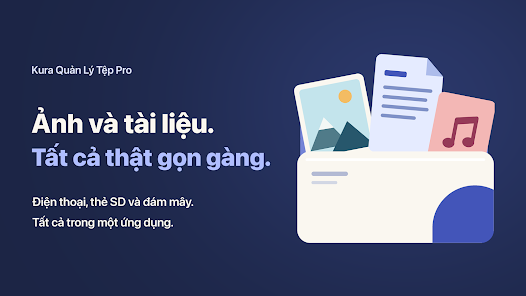
Overview of Kura
A major plus of Kura is its ability to combine the management of both device data and cloud space within a single platform. In the current version, the app allows direct connection to Dropbox and OneDrive, supporting quick uploading or downloading of data from the cloud to the device. Files on the cloud are displayed as visual thumbnails, helping you instantly recognize the content inside.
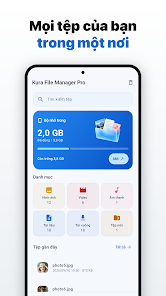
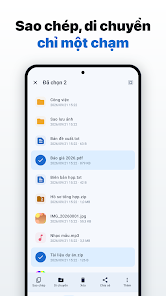
For basic file processing tasks, Kura provides all familiar features such as copying, moving, deleting, or renaming. You can completely select multiple files at once to perform batch operations, open files with another program, or share them immediately. Copying file names and paths is also extremely useful when you need to save the exact location of a document or folder.
Memory and ZIP File Management
Kura has a built-in file compression and extraction tool, allowing users to create ZIP files from any document or folder right within the application. You can also open and extract data from compressed files without needing to install any other specialized software. The new version also supports password protection when compressing with options to show or hide characters, while applying the AES-256 encryption standard to maximize protection for password-protected stored files.
Besides file processing, the app also features a Storage Analyzer that provides detailed statistics on which files are consuming the most storage space. The duplicate file finder utility and the ability to clean up empty folders give users more effective memory optimization solutions. Kura also supports exporting APK files from installed applications on the device, which is extremely convenient when you want to save the installation version for personal purposes.
Quick Search and Deleted File Protection
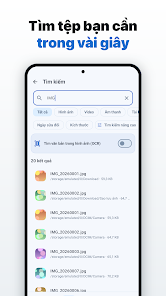
When the storage device contains too much data, Kura supports smart classification by images, videos, audio, documents, downloads, and applications. Users can flexibly switch between list and grid views, sort files, show hidden files, or put frequently used folders into Favorites for lightning-fast access.

Another practical plus is the Trash feature. All files after deletion will be kept here for a certain period of time, helping you easily restore them if you accidentally make a mistake. In addition, Kura also applies the modern Material You design language, supporting flexible color changes according to the wallpaper along with an eye-protecting dark mode.
Tips for Using and Guiding Kura
When first getting acquainted with Kura, you should pin frequently used folders to the Favorites section to shorten search time. For folders containing massive amounts of data, switch to the list view mode and sort by name or size to quickly grasp the file you need to process.
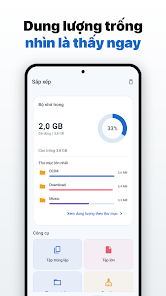
In case the phone memory is running low, launch Storage Analyzer to check which data groups are taking up the most space. Next, you can find and handle duplicate files or clean up redundant folders before proceeding to deletion. For important documents, review carefully before running batch commands and immediately take advantage of the Trash feature if you need to retrieve accidentally deleted data.
When working with Dropbox or OneDrive, remember to carefully check the network connection before uploading or downloading large files. If you frequently exchange data via the USB port, use an OTG cable and make sure the Android device has correctly recognized the hard drive before starting to move or delete data.
Conclusion
Kura truly brings a comprehensive file management ecosystem for Android, seamlessly combining device memory, OTG connections, memory cards, and cloud storage services into a single interface. Valuable features like batch file processing, ZIP compression, storage analysis, duplicate file finder, Favorites, and Trash help the application fully meet all daily usage needs. If you are looking for a file manager that is both powerful on the device and connects perfectly to the cloud, Kura is definitely a name worth considering.







