

| Version | 2.0.20 |
|---|---|
| Size | 33 MB |
| Updated | Oct 1, 2026 |
| Category | Photos & Video |
| Requires | Android 8.0 |
| MOD info | Premium |
| Google Play | com.ljo.blocktube |
MOD features
- Premium.
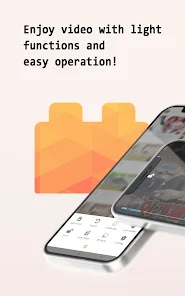
IgeBlock is a video viewing application for Android, giving users a smoother entertainment experience thanks to its automatic ad-blocking feature, playing content as audio or through a convenient floating window. You can completely continue enjoying videos even while opening other apps, combined with many useful utilities such as touch screen lock, video looping, saving favorite content, and smart app sleep timer.
Overview of IgeBlock
IgeBlock is designed as a perfect alternative video player, aiming for those who want to master how content is displayed on mobile devices. The most important highlight of the app is its ability to automatically skip annoying ads for viewers. According to data from Google Play, this feature still works effectively even when you switch to audio listening mode or use the pop-up player.
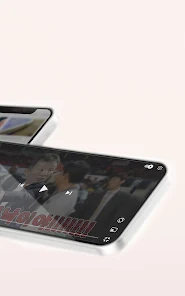
Not stopping at just handling ads, the application also supports running videos in an independent floating window. Thanks to this, you can still watch videos while processing other tasks on your phone. Furthermore, IgeBlock allows you to experience some basic features without necessarily logging into an account, such as saving a list of favorite videos or creating quick access shortcuts.
Ad-blocking experience and flexible floating frames
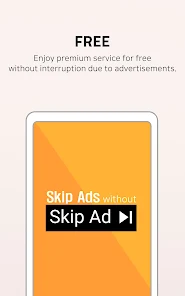
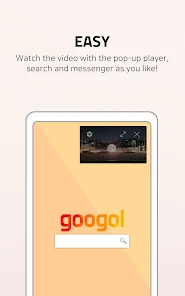
The biggest advantage of IgeBlock is its ability to automatically remove ads during video playback. Instead of having to continuously click the manual skip button, the app will automatically handle supported ads for you. The pop-up player mode is also extremely helpful as it allows you to watch videos while texting, surfing the web, or working.
Besides, the audio mode is extremely suitable for content that you only need to focus on listening to. When combined with the floating window, this will be an extremely flexible entertainment solution on Android devices.
Touch lock, video looping and accompanying features
Besides the main player, IgeBlock also integrates many practical supplementary tools. The touch screen lock function helps you avoid accidental touches when holding the phone or watching movies for a long time. The video looping feature will be a powerful assistant if you want to watch a favorite piece of content over and over again.
Users can also easily bookmark videos without logging in, set up an automatic app shutdown timer, or create shortcuts for videos right on the home screen. If you log in with a Tube account, the app will sync the corresponding playlist for immediate use on IgeBlock. The development team also commits not to collect or store any of the user's Tube account information.
Tips and instructions for using IgeBlock effectively
When experiencing IgeBlock, you should start by choosing the playback mode that suits your personal purpose. If you just want to listen to music or podcasts, use audio mode; conversely, the pop-up player will be the optimal choice when you need multitasking. For learning videos that require long-term memorization, the looping and touch lock features will bring the most comfortable feeling.
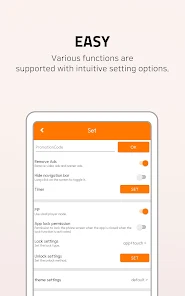
If you have a habit of watching videos before falling asleep, remember to use the timer feature to automatically turn off the app, avoiding playing content all night. Regarding account and playlist issues, you should carefully review permissions before proceeding to log in. Currently, Google Play reports that the app may share certain data such as in-app activity, performance, and device identifiers with third parties, with all transmitted data being securely encrypted.
In addition, the developer also notes that the Chromecast feature is sometimes not truly stable. Therefore, if your core need is to cast videos to a TV, please thoroughly check the device's compatibility before use.
Conclusion
IgeBlock is a very notable video playback application on Android with the ability to automatically skip ads and various viewing modes. Thanks to the floating window, audio mode, touch lock, video loop, bookmark, timer, and shortcut, the application brings maximum convenience for daily entertainment activities. Please pay attention to privacy settings and Chromecast compatibility to have the most complete experience with ApkUnlimit.







