
Fylo MOD APK 1.9 (Premium)
⬇ Download APK (103 MB)| Version | 1.9 |
|---|---|
| Size | 103 MB |
| Updated | Oct 1, 2026 |
| Category | Tools |
| Requires | Android 8.0 |
| MOD info | Premium |
| Google Play | com.aeroloom.fylofilemanager |
MOD features
- Premium.
Fylo is a file management app designed specifically for Android, featuring a Material 3 design style and focusing on browsing, organizing, converting, and protecting data on your device. The app supports internal storage, SD cards, multiple file formats, and tools for handling PDFs, images, audio, video, and compressed files.
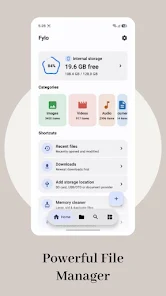
Manage files and storage with Fylo
With Fylo, users can perform common tasks such as copying, moving, renaming, deleting, sharing, and compressing files. Content types like images, videos, audio, documents, PDFs, APKs, and archive files are grouped separately, making it easier to find your data.
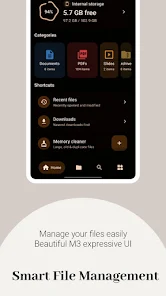
The app also provides Recent, Favorites, and Downloads sections for quick access to frequently used files. Dual-pane mode lets you view two folders at once, which is convenient when you need to move data between them.
Analyze storage usage and clean up memory
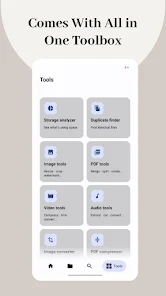
One standout feature of Fylo is its Storage Analyzer, which helps you check what's taking up the most storage space. The app can detect large, old, or duplicate files so you can choose to delete them when they're no longer needed.
Deleted files go to the Recycle Bin instead of disappearing immediately. This makes it possible to recover important data if you accidentally delete it.
Handle ZIP, RAR, images, and documents
In addition to file management, Fylo integrates many data processing tools. The app supports extracting ZIP, RAR, 7z, TAR, and GZ files, and can also create ZIP files and preview the contents of some archive packages.
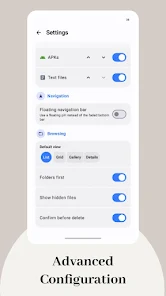
For images, users can resize, crop, compress, convert formats, add watermarks, or remove EXIF/GPS metadata. The app also includes viewers for PDF, Word, Excel, PowerPoint, text, source code, Markdown, images, audio, and video, so users don't need to install many separate apps.
Tips and guide for using Fylo
When you first start using Fylo, you should organize your important folders and add frequently accessed locations to your Favorites list. If your phone is running low on storage, open Storage Analyzer to find large or duplicate files before deciding what to delete.
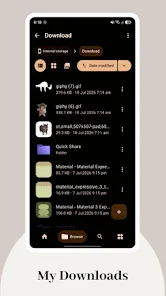
The app also has a Vault feature to protect files in a separate area, requiring biometric authentication or your device's security credentials. In addition, Fylo supports SMB, FTP, and WebDAV access within a local network.
Some advanced features in Fylo Pro include certain PDF and video tools, device management from a computer, Nearby file transfer, checksum verification, APK Inspector, and APK Extractor. Therefore, you should try the free features before deciding to use the Pro tools.
Conclusion
Fylo is an Android app that combines a file manager with many data processing tools in a single package. From browsing folders, managing storage, extracting archives, and viewing documents to editing images, protecting files, and connecting to network servers, the app aims to meet comprehensive data management needs. With its Material 3 interface and many integrated features, Fylo can be a noteworthy choice for users who want to control files on their phone more easily.







