

| Version | 0.11.11 |
|---|---|
| Size | 34 MB |
| Updated | Oct 1, 2026 |
| Category | Tools |
| Requires | Android 7.0 |
| MOD info | Premium |
| Google Play | com.rhmsoft.code |
MOD features
- Premium.
Code Editor is a source code editor app specifically designed for Android devices by Rhythm Software, suitable for anyone who wants to write, edit, and test code directly on their phone or tablet. The app integrates a professional editor with the ability to compile, run code, manage files, and connect to online storage platforms.
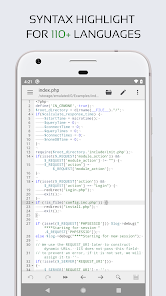
Easily edit code on Android devices
The highlight of Code Editor is its interface optimized for programming rather than being a mere regular text editor. The app supports syntax highlighting for multiple languages such as C++, Java, JavaScript, HTML, Markdown, PHP, Python, Lua, and Dart. Thanks to the syntax highlighting feature, components in the source code are clearly distinguished, helping users easily read and edit code on touch screens.
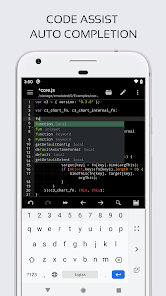
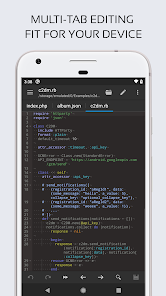
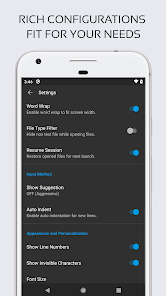
The editor also provides auto-indentation, code completion support, code folding, and matching bracket highlighting. Users can open multiple tabs simultaneously to switch between files quickly. The unlimited undo and redo feature is also very useful when experimenting with or editing long pieces of code.
Compile and run programs directly
ፋCode Editor not only supports writing code but also integrates an online compiler, allowing you to compile and run many popular languages. The list of languages mentioned on Google Play includes Python, PHP, Java, JavaScript/Node.js, C/C++, Rust, Pascal, Haskell, and Ruby, among others. This helps users quickly test code snippets or programming assignments without having to switch to a computer.
For JavaScript, the app also has a built-in JavaScript console for evaluating code. Web developers can also leverage Emmet and the live preview feature for HTML, Markdown, and AsciiDoc files. These tools are especially useful when you need to quickly edit a website or check content right on your mobile device.
File management and online service connection
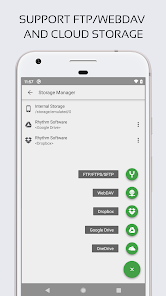
Code Editor not only allows source code editing but also supports file access via FTP, FTPS, SFTP, and WebDAV. The app also integrates connections with GitHub and GitLab, along with Google Drive, Dropbox, and OneDrive, making it easy to retrieve source code from various locations without manually copying each file to your device.
The app supports physical keyboards and shortcuts, which is especially convenient when used with a tablet or a Bluetooth-connected phone. Users can choose from three different interfaces and multiple syntax highlighting themes to create a more intuitive and comfortable workspace.
Tips and Guide for Code Editor
When starting with Code Editor, it is recommended to create or open a separate project folder instead of keeping all code files cluttered in the same location. For web projects, you can start with HTML, CSS, and JavaScript, then use the preview feature to check the results. If you are learning Python or another compiled language, try creating a small file and running it directly to test the syntax.
When working with remote projects, use FTP, SFTP, WebDAV, or supported Git services to synchronize files with a proper workflow. For important projects, it is best to store source code versions on GitHub or GitLab rather than keeping only a single copy on your mobile device.
Conclusion
Code Editor is an ideal choice for anyone looking to turn Android into a powerful mobile programming environment, supporting writing, editing, previewing, and running code. With features like syntax highlighting, auto-completion, multi-tabs, compiler, JavaScript Console, Emmet, GitHub and GitLab integration, and file transfer protocols, the app provides all the necessary tools for learning and software development. If you frequently need to edit code when away from your computer, this is a handy tool to carry on your phone or tablet.







