
| Version | 5.4.2 |
|---|---|
| Size | 6 MB |
| Updated | Oct 1, 2026 |
| Category | Tools |
| Requires | Android 8.0 |
| MOD info | Premium |
| Google Play | jp.snowlife01.android.clipboard |
MOD features
- Premium.
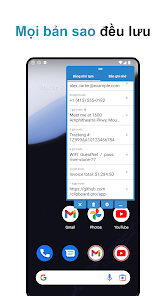
Clipboard Pro is a clipboard management tool on Android that helps store all copied content so users can easily recall it anytime. Instead of being limited to a single piece of text, this utility creates a storage timeline to help you search for old information, store frequently used items, and paste directly without switching back and forth between tasks.
Overview of Clipboard Pro
A major plus of Clipboard Pro lies in its floating interface that overlays other apps. You can open the clipboard history via a floating shortcut, review copied content, and quickly select the item you need. This mechanism is especially useful when handling messages, texts, browsing the web, or working with apps that require continuous data entry.
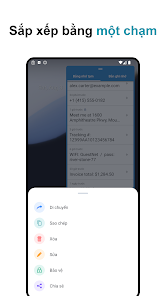
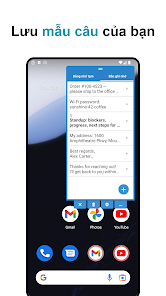
The software automatically records copy history, allowing you to sort by timeline or name. Critical data can be moved to the Memo section for long-term storage. Besides plain text, users can also create content templates such as addresses, canned responses, or frequently repeated character strings.
Manage copy history quickly
Clipboard Pro integrates smart search features to quickly locate necessary content within the history. As soon as you copy, the text is automatically recorded into the list and ready to be recalled from the control panel. Obsolete items can be deleted manually or set to auto-delete to optimize storage space.
The app also supports specific copy actions on WhatsApp or LINE when enabling the corresponding feature. The auto-paste function helps insert text into input boxes more neatly, though permission access must be set up accurately on the device.
Save notes and text templates conveniently
Besides its main function, Clipboard Pro also acts as a compact Memo notebook. Every word, address, contact info, or canned response can be saved separately and pasted with just one tap. Data between the clipboard history and the Memo section can be flexibly moved for easy management.
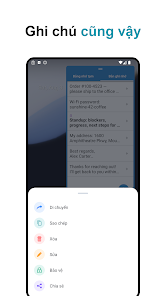
The tool supports backing up and restoring all history and Memos via ZIP files, while also exporting data in text, PDF, or image formats. Users can also easily access the clipboard directly from the notification bar or Quick Settings to save operations.
Tips and instructions for using Clipboard Pro
Right after installation, grant sufficient permissions for the app to recognize copied content and display the floating control panel. If using the floating button, you can fully adjust its position, opacity, and size to avoid blocking your view on the screen.
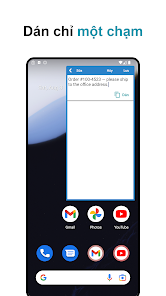
For important information, you should move it from the history to the Memo section instead of relying entirely on the automatic clipboard. Note to avoid saving passwords or sensitive data unless strictly necessary. The current update also integrates a mechanism to automatically remove password strings from history on certain compatible Android models.
Conclusion
Clipboard Pro is an ideal solution for those who frequently perform copy-paste operations on Android devices. Thanks to its history storage, search, Memo creation, text templates, floating display, and backup support, handling repetitive data tasks becomes easier than ever. If the default clipboard is not enough to meet your needs, this app will deliver an optimized and more professional management experience.







