

| Version | 50.01 |
|---|---|
| Size | 147 MB |
| Updated | Oct 1, 2026 |
| Category | Tools |
| Requires | Android 10 |
| MOD info | Premium |
| Google Play | com.iViNi.bmwhatLite |
MOD features
- Premium.
Carly is a software that helps analyze and monitor your vehicle's condition by connecting to the OBD2 port. The app provides tools to read data from your car, track engine parameters, and assist in checking various electronic systems. Compatibility depends on the brand, model, year of manufacture, hardware, and software of each vehicle.

Overview of Carly
To fully enjoy all features, Carly should be used with the Carly Universal Scanner device that connects to the OBD2 port in your car. Once connected, your phone can receive and display data from the vehicle's electronic systems for easy monitoring.
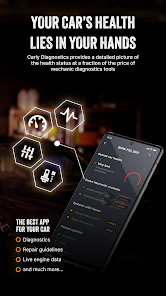
The app supports many car brands such as BMW, MINI, Audi, Volkswagen, Mercedes, Toyota, Lexus, Ford, Porsche, Renault and several others with OBD2 connectivity. However, specific features may vary across different models.
Diagnosis and Engine Data Monitoring
One of Carly's standout features is diagnostic support via OBD. The basic version allows reading data and tracking engine-related parameters, transmission status, and exhaust system checks.
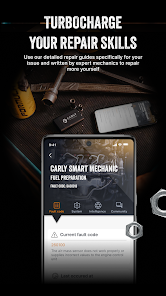
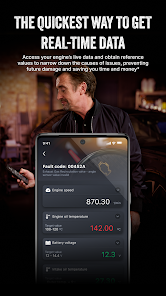
With advanced features, the software can read and clear error codes from multiple electronic control units in your vehicle such as the engine, transmission, ABS, airbags, and infotainment systems. Real-time data also helps users monitor parameters while the car is running and supports troubleshooting.
Vehicle Maintenance and Customization
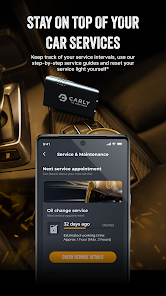
Besides diagnostic capabilities, Carly also offers tools to assist with maintenance, monitor battery status, and manage service schedules. Some features may guide users through checks or reset maintenance information.
On supported vehicle models, the app also includes coding functions to access certain settings or hidden features provided by manufacturers. Coding capabilities vary depending on the vehicle model and control unit, so it's important to check compatibility before proceeding.
Tips and Carly Guide
First, verify which vehicles and features are supported by Carly. Then connect the Carly Universal Scanner to the OBD2 port and pair it according to the instructions in the app.
When reading error codes, do not rely solely on clearing the errors to determine that a repair has been completed. Error codes are diagnostic aids and should be combined with actual vehicle conditions. For coding or ECU-related settings, always back up or record your current configuration and only change options you fully understand.
Conclusion
Carly is an ideal OBD2 tool for anyone looking to check their car's condition using a smartphone. From reading error codes, tracking engine data to supporting maintenance and some customization features, the app offers many conveniences for vehicle care. However, the usability of these features largely depends on the specific vehicle model and connection device.







