
| Version | 5.7.1.07 |
|---|---|
| Size | 76 MB |
| Updated | Oct 1, 2026 |
| Category | Tools |
| Requires | Android 5.0 |
| MOD info | Unlock Pro |
| Google Play | com.autolauncher.motorcar |
MOD features
- Unlock pro.
Car Launcher Pro is an Android launcher app optimized specifically for in-car use. It can run on phones, tablets, and Android Head Units, combining an app interface with a trip computer to display full information while driving.
Overview of Car Launcher Pro
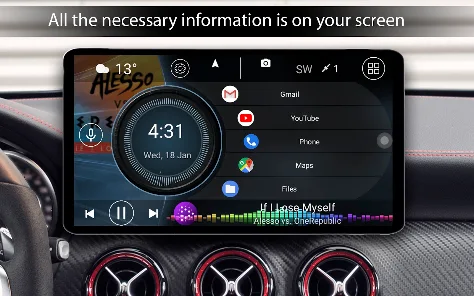
Instead of the usual Android interface with small icons, Car Launcher Pro offers a car-focused layout with large, easy-to-read display areas. Users can set the app as the default launcher on a Head Unit, create favorite folders, and place frequently used apps on the home screen for quick access.
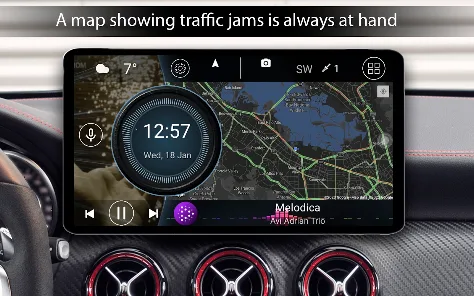
The app also integrates GPS data to help track trips. Information such as current speed, average speed, maximum speed, distance, and travel time is displayed directly on the interface. Users can switch between km/h and mph as needed.
Trip computer and driving information
One of the standout features of Car Launcher Pro is the Trip Computer. This feature can track data for the current trip and summarize it by day, week, month, or all-time use. In addition to speed and distance, the app also provides metrics such as travel time, stopped time, and acceleration data.
GPS information can be displayed on the home screen through dedicated widgets such as a speedometer, maximum speed, address, driving time, or stopped time. Showing large metrics makes them easier to see while you focus on driving.
Interface and widget customization
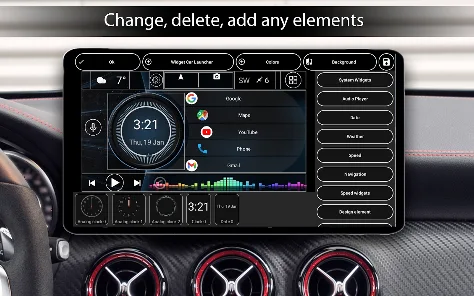
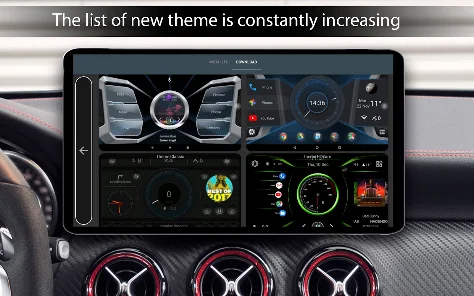
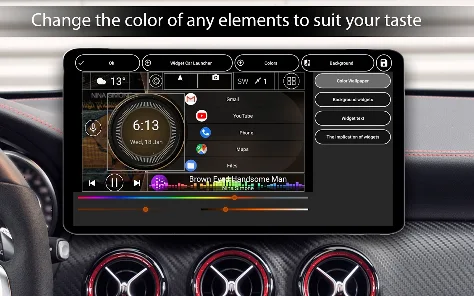
Car Launcher Pro lets you change many interface elements such as wallpaper, text color, car logo, widget layout, and screensaver. The theme editor can adjust the size, position, and name of elements, and also supports multiple home screens and icon packs.
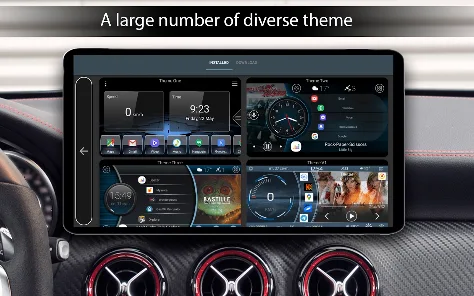
In addition to system widgets, the app also provides widgets designed specifically for the car environment, such as a visualizer, analog clock, speedometer, address information, and acceleration indicators. You can also integrate a music player with album art, weather information, and volume controls right on the launcher screen.
Tips and guide for using Car Launcher Pro
When setting up Car Launcher Pro on an Android Head Unit, you should first set the app as the default launcher if you want it to appear every time you press the Home button. Then place essential apps such as maps, music, or calling on the home screen to reduce searching while driving.
Arrange important widgets in easy-to-see positions and use large enough text sizes. If you need to track trips, grant background GPS permission as required by the app. Car Launcher Pro also supports auto-start on Head Unit devices, helping the car interface be ready as soon as the device turns on.
The app uses Accessibility Service to perform navigation actions by swiping from the screen edge, such as Back, Home, and Recent Apps. This permission is optional and can be turned off in Android settings if you do not need gestures.
Conclusion
Car Launcher Pro turns the standard Android interface into a dashboard better suited to the car environment. The combination of launcher, GPS trip computer, speedometer, widgets, music player, and theme customization lets users build a car interface tailored to their own needs. In particular, the app is suitable for Android Head Units that need an intuitive and easy-to-access home screen.







