
| Version | 6.13.3 |
|---|---|
| Size | 21 MB |
| Updated | Oct 1, 2026 |
| Category | Tools |
| Requires | Android 7.0 |
| MOD info | Premium |
| Google Play | jp.ne.hardyinfinity.bluelightfilter.free |
MOD features
- Premium.
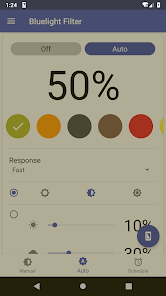
Bluelight Filter for Eye Care is a tool that helps users adjust their Android screen colors in a more comfortable way, especially useful when using the phone in low-light conditions or at night. Instead of just reducing brightness, the app applies a color filter to change the screen's color temperature, thereby limiting the amount of blue light that causes eye strain.
Overview of Bluelight Filter for Eye Care
The highlight of Bluelight Filter for Eye Care is its ability to customize the filter to personal preferences. Users can choose from various filter colors, adjust transparency and intensity to achieve a suitable display experience. The filter uses natural colors instead of just dimming the screen, helping content such as websites, emails, or text remain sharp and clear.
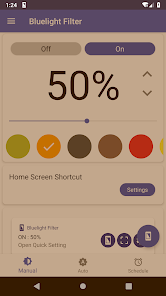
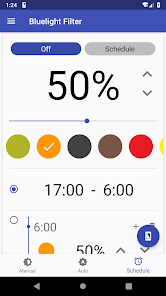
The app also supports an automatic mode based on ambient light and a schedule mode. As a result, you can configure the filter to activate automatically in the evening without having to turn it on manually every day.
Adjusting filter colors and intensity
With Bluelight Filter for Eye Care, users can choose from many filter colors such as red, orange, brown, and other tones. The intensity can also be flexibly adjusted to avoid excessive screen tinting. Depending on the usage situation, you can use a light filter when reading or increase the filter level when using the phone in a dark room.
Another plus is that the app can apply the filter to the entire screen, including the navigation area. Users can also add a control icon to the status bar to quickly turn it on/off without opening the full app.
Automation with Auto Mode and Schedule Mode
Bluelight Filter for Eye Care supports Auto Mode to automatically adjust screen colors based on ambient light. In addition, Schedule Mode lets you set specific times for the filter to turn on/off automatically. This is an ideal choice if you often use your phone in the evening or before bed.
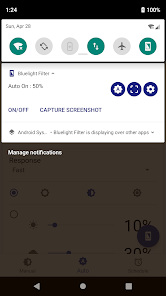
The app can also start with the system and supports processing screenshots to remove the filter effect. This ensures that screenshots will not carry the color layer currently applied to the screen.
Tips for using and guide to Bluelight Filter for Eye Care
When you first start using Bluelight Filter for Eye Care, you should begin with a light filter level and gradually increase it until you feel comfortable. If you frequently use your phone at night, set up an automatic schedule instead of turning it on manually each time.
You should not set the filter too strong when working with photos or content that requires accurate colors, as the filter layer can change the perception of colors on the screen. In addition, a light filter is not a substitute for resting your eyes, maintaining a proper distance, and controlling device usage time.
Conclusion
Bluelight Filter for Eye Care offers a simple solution to control colors and light on your Android screen. With many filter color options, adjustable strength, automatic mode, scheduling, and quick actions from the status bar, the app is well suited for users who want a more comfortable display experience when using their phone for long periods or at night.







