
| Version | 1.40 |
|---|---|
| Size | 17 MB |
| Updated | Oct 1, 2026 |
| Category | Tools |
| Requires | Android 7.0 |
| MOD info | Premium |
| Google Play | com.creative.translator.chat.language.translation.notes |
MOD features
- Premium.
All world Language Translator is an Android app that supports a wide range of language translation, combining text, voice, photo, and document translation in a single application. The app supports many languages and suits communication needs when traveling, learning a foreign language, reading documents, or talking with speakers of other languages.
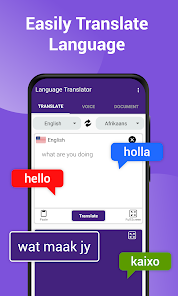
Overview of All world Language Translator
The highlights of All world Language Translator go beyond ordinary text input. Users can enter the content they need translated, use voice translation, or take a photo to recognize text. The app also supports translating documents from phone storage, saving users the time of copying content manually.
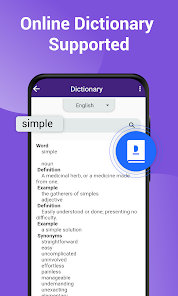
Besides the translation tool, the app also includes an online dictionary, notes, a diary, voice notes, and a to-do list. Translation history is also saved so users can reopen content they have used before.
Text, voice, and image translation
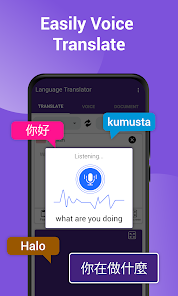
With All world Language Translator, users can enter a sentence or paragraph and then choose the source and target languages. The voice translation feature makes communication more convenient when you don't need to type every sentence on the keyboard. The app also supports real-time translation for conversations between people who speak different languages.
The Camera & Photo Translator feature is especially useful when you need to read content on signs, menus, documents, or photos. Users just need to take a photo or use the camera to recognize text, then translate it into the desired language. Actual recognition accuracy may depend on image quality, font, and lighting conditions.
Document translation and foreign language learning support
In addition to regular text, All world Language Translator supports selecting PDF, DOC, DOCX, and TXT files to translate their content. This feature is suitable when you need to work with study documents or texts already saved on your phone.
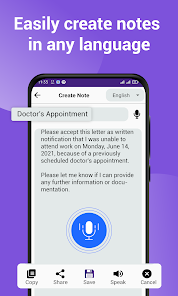
The app also has an online dictionary for looking up word meanings, while the Notes & Diary section lets you save information in multiple languages. Users can combine these tools to note new words, save important sentences, or create content for foreign language learning.
Tips and guide for using All world Language Translator
When translating text, you should check that the source language is correct before starting to avoid inaccurate results. With the camera feature, take photos with enough light and keep the text straight and clear. If a document has many formats or a complex layout, you should review the translation after processing instead of using it directly without reading it again.
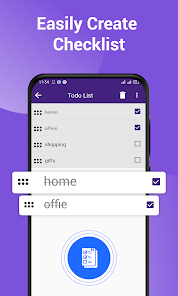
For face-to-face communication, you can use the voice translation or conversation feature to reduce typing time. When learning a foreign language, take advantage of translation history and the notes section to save new words, sentence patterns, or content you frequently need to look up.
Conclusion
All world Language Translator combines many translation tools in one app, from text, voice, and images to documents. In addition, there is a dictionary, notes, a checklist, and translation history, making the app suitable for everyday communication, travel, and foreign language learning. If you need a multifunctional translation tool right on your Android phone, this is a choice worth trying.







