

AI Enlarger: Phóng to hình ảnh MOD APK 4.0.6 (Premium)
⬇ Download APK (86 MB)| Version | 4.0.6 |
|---|---|
| Size | 86 MB |
| Updated | Oct 1, 2026 |
| Category | Photos & Video |
| Requires | Android 12 |
| MOD info | Premium |
| Google Play | com.app.aiimglarger |
MOD features
- Unlocked.
AI Enlarger is an AI-powered photo editing app for Android. It lets you upscale images up to 2x, 4x, or 8x while enhancing sharpness, reducing blur, and restoring detail in low-resolution photos. In addition to real-world photos, AI Enlarger also supports processing image types such as anime, illustrations, and other digital artwork.
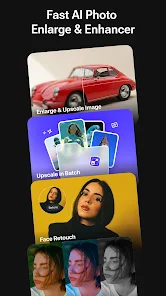
AI Enlarger Overview
AI Enlarger is designed for users who want to improve image quality without complicated steps. Using AI technology, the app can increase image size and optimize sharpness, detail, and other elements in the image. Users can choose a suitable magnification level based on the original quality and intended use.
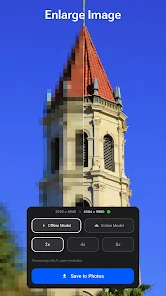
The app supports both online AI processing and local models, and it also allows exporting images at high resolution. In addition, AI Enlarger includes batch processing, which is very convenient when you need to improve multiple photos at once.
Upscale Images and Restore Detail
The main feature of AI Enlarger is its ability to enlarge images with AI at 2x, 4x, and 8x levels. This feature is ideal for small photos, old photos, or images that have been compressed multiple times. The app is also considered capable of handling anime images and digital art, helping improve the clarity of lines and details.
In addition to increasing resolution, AI Enlarger also provides tools for sharpening, noise reduction, clarity improvement, and old photo restoration. However, AI cannot fully recover details that are missing from the original image, so actual results depend largely on the quality of the input image.
Portrait Retouching and Image Enhancement
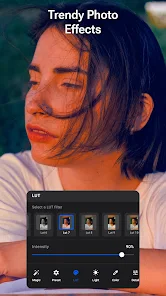
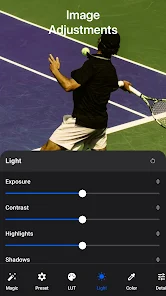
AI Enlarger integrates facial editing tools such as improving eyes, eyebrows, skin, and lip color. Users can combine these features with a diverse style filter system such as portrait, vintage, cinematic, or anime. The app also supports LUTs and adjustments for exposure, contrast, color, saturation, sharpness, and noise reduction.
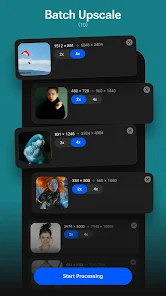
The batch processing feature is very useful when you need to upgrade many product photos, album images, or images for design work. After selecting photos, users can choose the processing mode, magnification level, and save the results at high resolution.
Tips for Using AI Enlarger and Guide
To get started with AI Enlarger, users should choose the best-quality photo available and then use the Upscale or Enhance feature. If the image is only slightly small, 2x is a suitable option to try first. For lower-resolution images, you can try 4x or 8x and compare the results before saving.
When retouching portrait photos, you should use beauty tools in moderation to avoid losing the natural look of the face. For old or noisy images, you can combine noise reduction and sharpening instead of increasing sharpness too much. If you need to process many photos, use Batch Upscale to save time.
Conclusion
AI Enlarger is a suitable tool for upscaling, enhancing, and improving photo quality on Android. With 2x, 4x, and 8x Upscale levels, batch processing, portrait retouch tools, and a filter and color adjustment system, the app meets needs ranging from restoring old photos to preparing images for social media, products, and design.







