
| Version | 7.1 |
|---|---|
| Size | 137 MB |
| Updated | Oct 1, 2026 |
| Category | Tools |
| Requires | Android 8.0 |
| MOD info | Premium |
| Google Play | com.hssn.anatomy3d |
MOD features
- Premium.
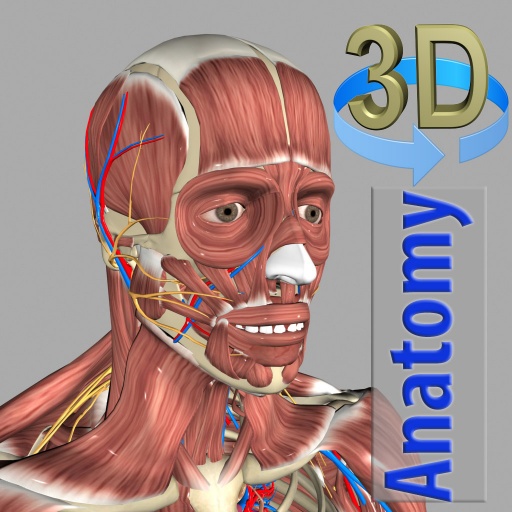
3D Anatomy is an Android app that supports learning human anatomy through interactive 3D models. Instead of just viewing static images, users can rotate and adjust the zoom level of the model, as well as peel away each muscle layer to observe the structures beneath. This app is very useful for medical students, people studying anatomy, or anyone who wants to explore the human body in a more visual way.
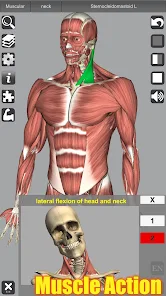
Overview of 3D Anatomy
The highlight of 3D Anatomy is its interactive touch interface, which lets users explore the body from many different angles. Learners can turn individual organ systems on or off, search for structure names, and locate them directly on the 3D model.
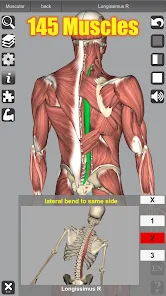
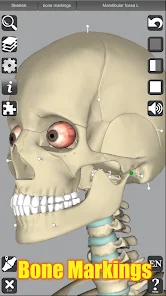
The content includes the skeletal system, ligaments, bone landmarks, muscles, circulatory system, nervous system, respiratory system, urinary system, reproductive system, and ear. The muscle section alone has 145 detailed models. The app also provides muscle movement videos and physiological animations to help users better visualize how structures function.
Explore the body with 3D models
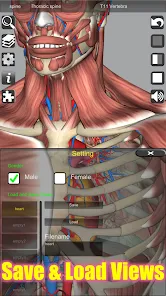
With 3D Anatomy, users can rotate the model from multiple angles and zoom in on the area they are studying. The muscle layer peeling feature helps observe deeper structures without having to switch through many separate illustrations.
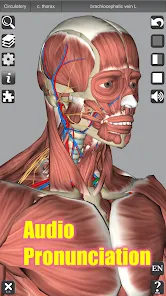
The app also lets you turn individual anatomical systems on or off to focus on your study content. For example, when reviewing the muscular system, you can hide other systems to make the model easier to observe. The search tool helps quickly identify a structure and display its location on the model.
Practice and test your anatomy knowledge
Besides observing models, 3D Anatomy also offers 3D location quizzes so users can assess their own recall. This is an effective way to move from just looking and reading structure names to actively identifying their positions on the body.
The app also includes more than 100 videos simulating muscle activity, physiological animation videos, and audio pronunciation for anatomical terms. Terms are supported in English, French, Spanish, and German, making it suitable for learners who want to combine anatomy knowledge with specialized terminology in a foreign language.
Tips and guide for using 3D Anatomy
To study effectively with 3D Anatomy, start with the skeletal system and then gradually move on to muscles, ligaments, and other systems. When you encounter a new structure, rotate the model to observe it from multiple directions, then try hiding other layers and identifying its position again on your own.
The quiz section should be used after each topic rather than just reading information. If you answer incorrectly, go back to the model, find the correct structure, and remember its relationship to surrounding parts. For students, the app can be used as a visual tool to supplement textbooks and study materials, rather than completely replacing specialized materials.
Conclusion
3D Anatomy offers a visual way to learn anatomy through an interactive human body model. The ability to rotate, zoom, peel layers, search structures, view muscle animations, and take location quizzes makes memorizing anatomy more vivid. With content covering many organ systems and 145 detailed muscle models, the app is a useful reference tool for learning anatomy on Android.







