

1Tap Cleaner MOD APK 5.23 (Premium)
⬇ Download APK (14 MB)| Version | 5.23 |
|---|---|
| Size | 14 MB |
| Updated | Oct 1, 2026 |
| Category | Tools |
| Requires | Android 8.0 + |
| MOD info | Premium |
| Google Play | com.a0soft.gphone.acc.free |
MOD features
- Premium.
1Tap Cleaner is an app designed to help clean up unnecessary data on Android devices, making it easier for users to manage their storage. Instead of manually searching and deleting each type of file that isn't needed, the app consolidates all cleaning tools into a simple interface, allowing quick checks and removal of data that may be taking up space.
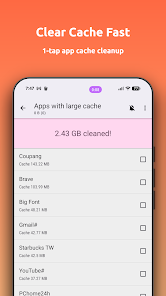
Overview of 1Tap Cleaner
While using Android, many apps generate temporary files, cache, and unnecessary data. Over time, these can accumulate into large amounts. 1Tap Cleaner simplifies the process of checking and removing this data without requiring complex steps.
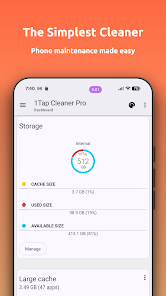
The app provides separate tools for different types of data such as app cache, web browsing history, or call logs – depending on permissions and device version. This classification approach allows users to actively choose what content to handle rather than randomly deleting everything.
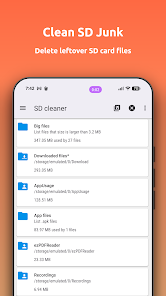
One standout feature of 1Tap Cleaner is its ability to quickly check how much data can be cleaned up. After scanning, users can view the results and select which actions to take. This is especially helpful when the phone frequently warns about low storage or when you want to free up space before installing a new app.
Cleaning Cache and Unnecessary Data
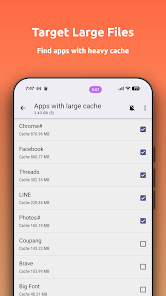
Cache helps apps run faster in some cases, but it can also consume additional storage. 1Tap Cleaner allows users to check this type of data and clean it when necessary.
However, it's important not to assume that clearing the cache will always noticeably speed up your phone. After clearing, some apps may need to recreate temporary data on their next launch. Therefore, the tool should be used primarily when you need to free up space or handle unnecessary temporary data.
Tips for Use and Cleaning Guide
Before starting a cleanup, review the scan results and check which types of data the app recommends deleting. For important data like history or personal information, consider carefully before confirming. If your device has many apps, prioritize checking those that frequently generate temporary data or consume large amounts of storage.
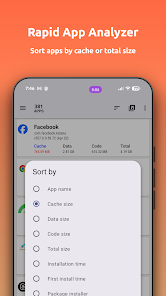
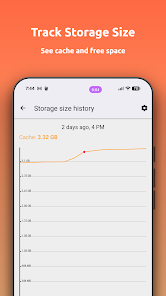
It's better to maintain a habit of periodic storage checks rather than clearing cache daily. Additionally, combine this with Android’s file manager to find large videos, images, or documents no longer in use. This approach often provides more noticeable space-saving results compared to focusing only on temporary data.
Conclusion
1Tap Cleaner offers a simple way to check and clean up unnecessary data on Android devices. With an interface focused on essential actions, the app is suitable for users who want to save time when managing storage. When used properly and with careful review of data before deletion, the tool can help maintain a tidier storage space on your phone.







