| Version | 2.13.1 |
|---|---|
| Size | 9 MB |
| Updated | Oct 1, 2026 |
| Category | Personalization |
| Requires | Android 7.0 |
| MOD info | Premium |
| Google Play | com.tombayley.statusbar |
MOD features
- Premium version.
Super Status Bar is an Android status bar customization tool that brings a variety of interface tweaks and gestures not supported by the default system. You can change icon styles, integrate a battery bar, adjust sound and screen brightness via swipe gestures, turning this area into a quick control panel. This app requires no root and is compatible with most current Android devices.
General Introduction to Super Status Bar
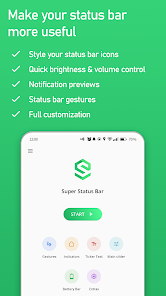
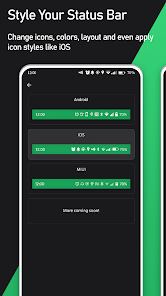
A major plus of Super Status Bar lies in its ability to deeply customize the details at the top edge of the screen. Instead of basic parameters like time, battery, or signal, you can assign multiple shortcuts and refresh how information is displayed. This utility provides various icon packs from iOS, HyperOS, MIUI to stock Android, while allowing you to hide redundant items for a cleaner interface.
Additionally, users can change the colors for icons and the status bar background. Thus, the overall device will harmonize better with your wallpaper or theme set. These features are ideal for those who love to beautify their phone without rooting or installing complex ROMs.
Manage Volume and Brightness via Gestures
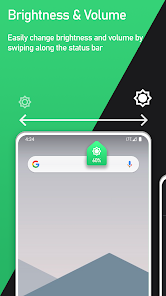
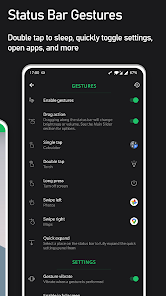
Through Super Status Bar, you can simply swipe gently at the top area to easily change brightness or volume levels. The system is compatible with various audio types such as media, ringtones, notifications, alarms, or calls. The smart mode also helps automatically recognize the currently playing audio source for accurate adjustment.
Besides swiping, the app also supports assigning commands for tapping, double tapping, long pressing, or swiping back and forth. You can set up shortcuts to lock the device, turn on the flashlight, take screenshots, open apps quickly, view notifications, or switch tasks.
Customize Notifications and Battery Bar
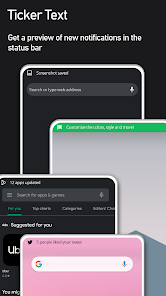
A very notable feature on Super Status Bar is the notification ticker, which displays message content as scrolling text across the status bar instead of annoying popups. You can fully tweak the font style, color, size, and display speed to your liking.
On the other hand, this tool also integrates a battery bar to represent the battery capacity as a subtle color strip at the top edge of the screen. The size, position, and color of this battery bar can be flexibly changed along with charging effects, helping you grasp the device's energy quickly.
Tips and User Guide for Super Status Bar
When first installing Super Status Bar, you should experience each feature group individually rather than activating everything at once. Start by choosing your preferred icon template and color scheme for the screen. Then, you can set up a few familiar gestures like double tapping to lock the screen or swiping to adjust brightness.
To avoid misclicks, limit assigning too many complex commands to easily triggered actions. If you enable the notification ticker, pay attention to adjusting a moderate text speed for easy reading. Because Super Status Bar needs to use the Android Accessibility Service for gesture and notification features, carefully read the permissions requested by the app before use.
Conclusion
Super Status Bar provides countless useful tools to upgrade the Android status bar to be more lively and convenient. From changing icon styles, using the notification ticker, battery bar to adjusting volume and brightness via gestures, this is the perfect choice for anyone wanting to personalize their beloved phone without rooting. When cleverly tweaked, this area will become an extremely powerful shortcut.