
| Version | 6.6 build 020 |
|---|---|
| Size | 24 MB |
| Updated | Oct 1, 2026 |
| Category | Personalization |
| Requires | Android 7.0 |
| MOD info | Premium |
| Google Play | ginlemon.flowerfree |
MOD features
- Premium version.
Smart Launcher 6 is a launcher app for the Android system that brings a fresh experience to interacting with the home screen and app drawer. Instead of being tied to the phone's original interface, you can easily categorize apps into groups, change icons, fine-tune colors, wallpapers, widgets, and set up navigation gestures. Developed by Smart Launcher Team, this tool is constantly upgraded to optimize performance and ensure smooth operation on the latest Android versions.
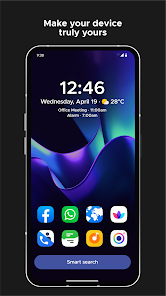
Overview of Smart Launcher 6
The impressive highlight of Smart Launcher 6 is its automatic app categorization feature, which sorts apps into logical sections. This layout method keeps your phone interface neat and tidy, minimizing the time spent searching for individual icons across multiple pages. However, you can still manually rearrange positions to fit your personal comfort and needs.
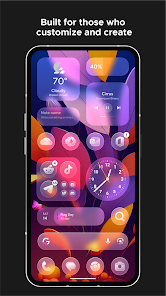
Additionally, this launcher focuses on a remarkably convenient one-handed operation experience. Frequently used programs can be placed right in the lower half of the screen for easy reach. Furthermore, the interface color scheme can automatically sync with your wallpaper, creating a harmonious and eye-catching overall look for the home screen.
Interface and Widget Personalization
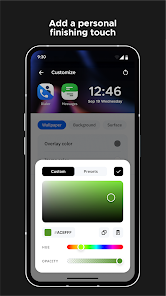
Through Smart Launcher 6, you have the freedom to change many elements of the interface such as icon packs, fonts, color palettes, and overall layouts. It supports both icon packs and adaptive icons, making it ideal for those who want to handcraft a unique style instead of sticking to the default manufacturer template.
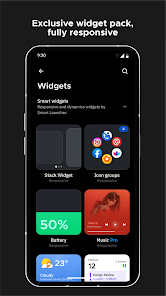
The diverse widget system brings many practical utilities such as weather updates, calendars, photo albums, battery status, music players, and quick notes. In particular, the widget stack feature allows you to stack multiple widgets on top of each other to save display space. You can also use unique stickers to make your screen layout stand out.
Smart Search Tool and Quick Shortcuts
The smart search bar is also a major advantage of Smart Launcher 6. Not only does it look up app names or contacts, but it also supports internet searches, quick mathematical calculations, and directly triggers various features. Thanks to this, you can quickly handle basic tasks without opening each app separately.
This launcher also integrates many gesture controls and convenient shortcuts like screen locking or pulling down the notification panel. You can completely hide personal apps and lock them with a secure PIN code. Some optional gestures may require the Android Accessibility API; however, this permission is optional, and the developer commits not to collect user data through this API.
Tips and Guidelines for Experiencing Smart Launcher 6
Upon installing Smart Launcher 6, you should let the system automatically group your apps first before fine-tuning them to your liking. Next, place your frequently used tools in easy-to-reach areas and only select truly necessary widgets to avoid cluttering your home screen.
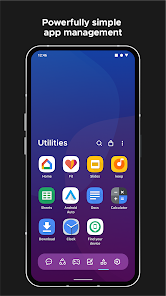
To create a cohesive space, start with a favorite wallpaper, turn on the adaptive color mode based on the wallpaper, and combine it with a matching icon pack and font. For those used to using their phone with one hand, leveraging the lower half of the screen combined with gesture setups will deliver maximum convenience. Additionally, you can back up your interface settings to easily restore them when changing phones or switching launchers.
Conclusion
Smart Launcher 6 opens up a fresh and more flexible approach to the Android home screen thanks to smart auto-sorting, rich customization, a diverse widget collection, and a convenient gesture system. It not only refreshes the appearance but also optimizes your daily access speed and operations. This is definitely a wonderful suggestion if you are looking for a solution to refresh your interface and set up a mobile space that truly reflects your personality.