radio.net MOD APK 5.18.13.1-app (Premium)
⬇ Download APK (29 MB)| Version | 5.18.13.1-app |
|---|---|
| Size | 29 MB |
| Updated | Oct 1, 2026 |
| Category | Music & Audio |
| Requires | Android 7.0 + |
| MOD info | Premium |
| Google Play | de.radio.android |
MOD features
- Premium.
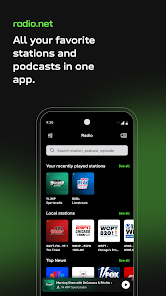
radio.net is a radio and podcast listening app for Android, giving users access to tens of thousands of radio stations from many countries directly on their mobile device. The app currently supports over 60,000 radio stations, along with a library of more than 2 million podcasts covering diverse topics such as music, news, sports, entertainment, and spoken-word content.
Overview of radio.net
Instead of only listening to a few familiar channels, radio.net lets users search for and discover radio stations by music genre, topic, city, or country. Users can play radio live, save favorite channels, and easily reopen content they have listened to before.
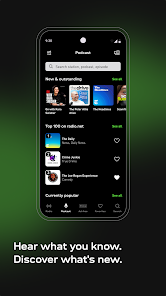
The app also includes a podcast player, with support for searching shows, podcast episodes, and content by topic. Podcast episodes can be downloaded for listening without an Internet connection, and users can adjust playback speed and set downloaded episodes to auto-delete to save storage.
Listen to live radio and discover new stations
One of the highlights of radio.net is its access to a huge library of online radio content. You can search for a specific station by name or song, or use the available categories to discover new channels. Content is organized into many genres such as rock, jazz, classical, and other topics.
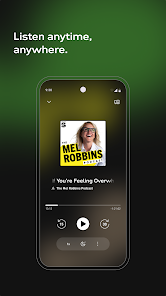
The favorites feature lets users keep frequently played stations in a separate area, making daily use more convenient. The app also supports Chromecast and Android Auto, making it suitable for playing radio or podcasts through external audio systems or in a car.
Search podcasts and listen to content on demand
In addition to live radio, radio.net provides a podcast search tool by show name, episode, topic, or content. You can subscribe to favorite shows to receive notifications when new episodes are available and download podcasts to your device for listening without an Internet connection.
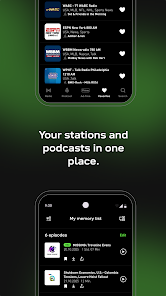
The sleep timer is also quite useful if you often listen to radio or podcasts before going to sleep. Just set the time, and the app will automatically stop playback when the selected period ends. Users can also consider the Prime plan if they want to remove video and banner ads in the app.
Tips for using radio.net and guide
To get started with radio.net, use the search bar to enter the name of a station, show, or podcast you are interested in. Once you find content you listen to often, add it to favorites for quicker access. When listening to podcasts, prioritize downloading episodes over Wi-Fi if you want to save mobile data.
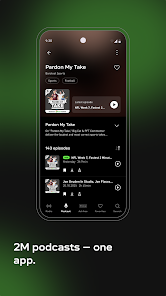
If radio playback is interrupted, check your Internet connection quality and try switching between Wi-Fi and mobile data. With Android Auto or Chromecast, check the connection between your phone and the playback device again. The app supports Android 6 and above.
Conclusion
radio.net offers a fairly diverse radio and podcast listening space on Android, from local stations to international channels. The large content library, convenient search, favorites list, offline podcasts, Android Auto, Chromecast, and sleep timer make the app suitable for many daily listening needs.