
| Version | 1.0.84 |
|---|---|
| Size | 17 MB |
| Updated | Oct 1, 2026 |
| Category | Personalization |
| Requires | Android 8.0 |
| MOD info | Premium |
| Google Play | com.klevico.monet |
MOD features
- Premium version.
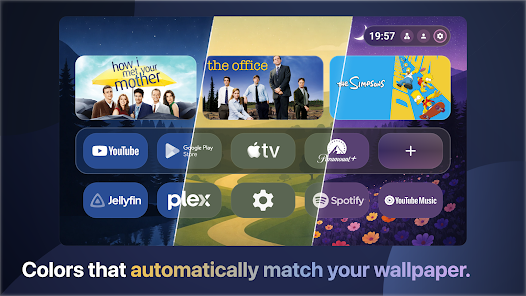
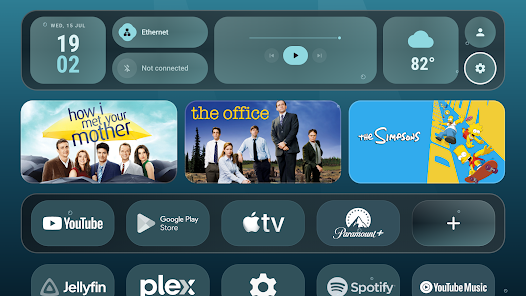
Monet Launcher is a dedicated launcher for Android TV and Google TV, designed to replace the stock interface with a youthful and intuitive Material You style. This tool optimizes remote control navigation while offering endless customization possibilities such as flexible color changes, weather wallpapers, widgets, screensavers, and flexible app organization. A major plus of Monet Launcher is that it is completely free of ads or sponsored recommendation sections on the home screen.
Overview of Monet Launcher
Instead of simply listing apps, Monet Launcher gives your TV screen a deeply personalized look. This platform is fully compatible with Android TV version 8.0 and above, Google TV, and many popular Smart TVs and TV boxes. The entire interface is designed around the remote control, making scrolling, selecting items, or switching categories on the big screen smooth and effortless.
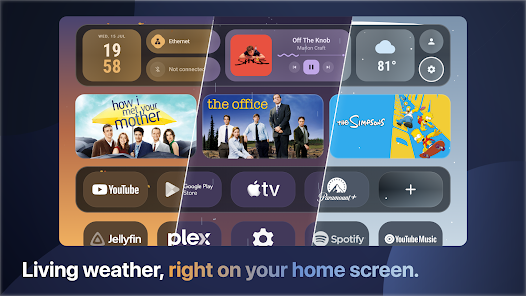
A major advantage is the launcher's ability to seamlessly sync with existing content such as Continue Watching, Live TV, or the streaming services you use. Thus, switching to the new interface does not require you to completely reconfigure your TV's entertainment ecosystem.
Weather and Dynamic Space Wallpapers
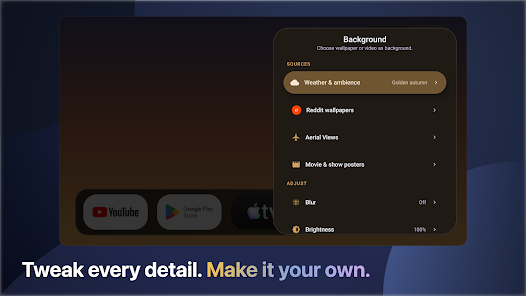
A standout feature of Monet Launcher is its rich collection of live wallpapers. The background can automatically change according to real-time weather conditions and the time of day, breathing new life into your screen instead of boring static images. Besides weather, the app also integrates many relaxing scenes such as starry skies, auroras, snowfall, rain, aquariums, outer space, or cozy fireplace imagery.
These effects can also be used as screensavers. As a result, you can easily choose the desired vibe for your living room even when the TV is idle. This is what makes Monet Launcher far superior to ordinary launchers that only focus on arranging icons.
Widgets, Personal Accounts, and Interface Customization
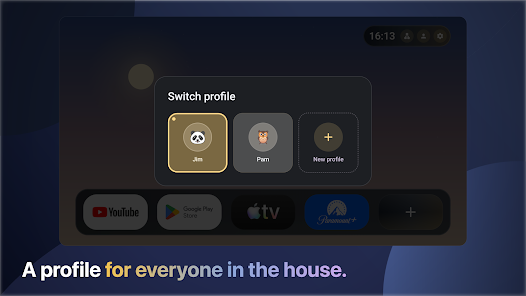
Alongside wallpapers, Monet Launcher supports widgets for weather, clocks, calendars, currently playing content, and network connection status. You have complete control over editing icons, app frame styles, or the names of individual items. The multi-profile system allows each family member to have their own distinct layout, wallpaper, and style.
The software also supports automatically launching a designated app as soon as the TV boots up or exits standby mode. For households with diverse entertainment needs, separating profiles keeps the home screen tidy and tailored to the right user.
Tips and Usage Guide for Monet Launcher
When first installing Monet Launcher, you should prioritize placing your frequently used apps on the main page. Next, choose wallpapers and widgets that balance well with the screen. Avoid cluttering too much information that causes visual fatigue; stick to core utilities to keep remote operations fast and flexible.
If the TV is shared by multiple people, set up separate profiles for each member. You should also experiment with various weather wallpaper templates initially to evaluate display performance on your device. Monet Launcher uses an optional AccessibilityService to support certain launcher-specific features and the Home button; the developer commits that this service does not collect displayed content and users can disable it at any time.
Conclusion
Monet Launcher breathes fresh air into the home screens of Android TV and Google TV through the Material You language, vivid weather wallpapers, spatial effects, widgets, screensavers, and countless personalization options. The seamless integration with movie apps, Live TV, and Continue Watching makes this launcher tightly knit with the existing TV system. If you want to transform your TV screen into an eye-catching space with more freedom to customize than the stock interface, Monet Launcher is definitely a name worth experiencing.