
Hide Photos, Video and App Loc MOD APK 8.8.1 (Premium)
⬇ Download APK (42 MB)| Version | 8.8.1 |
|---|---|
| Size | 42 MB |
| Updated | Oct 1, 2026 |
| Category | Photos & Video |
| Requires | Android 7.0 |
| MOD info | Premium |
| Google Play | com.hideitpro |
MOD features
- Premium version.
Hide Photos is a security tool on Android that helps users hide photos, videos, files, and other personal documents from the device's default gallery. This software creates an isolated storage space, safely protected by a PIN, password, pattern, or fingerprint. Besides its core data-hiding feature, Hide Photos also integrates a built-in photo viewer, video player, folder manager, and useful app security utilities.
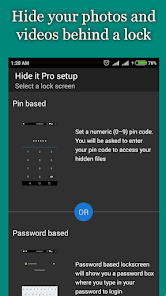
Safely protect personal photos and videos
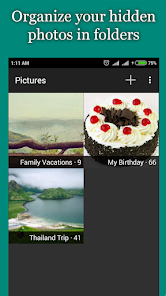
The special feature of Hide Photos lies in its ability to separate photos and videos from the regular gallery and move them into a secure storage area. Users can easily categorize content into hidden folders, move files between albums, organize data, and perform batch operations quickly. This feature is ideal for those who want to hide private moments that they do not want displayed on the main screen.
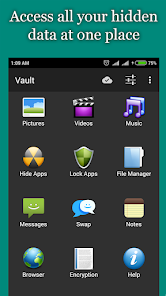
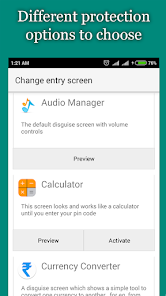
The app also features a disguise function under the "Audio Manager" interface. When launched, the interface displays volume adjustment tools just like a regular app; to access the secret data vault, users must perform a predefined action inside. This design provides an additional layer of discreet camouflage when someone else holds your phone.
Multi-layer security with PIN, password, and fingerprint
Hide Photos offers a variety of lock protection forms including PIN, password, unlock pattern, and fingerprint sensor. Depending on the device you are using, you can choose the most suitable method to completely prevent unauthorized access to your private space.
Besides images and videos, the app also supports message management, calls, secret notes, and app locking. Some advanced features may vary depending on the version or Android device model you are using.
Album management and direct content viewing
Right within the secure space, Hide Photos comes equipped with a dedicated photo viewer and video player, allowing users to enjoy content directly without having to export files back to the system library. The app also supports slideshow presentations, content sharing from the private zone, and flexible data transfer between albums.
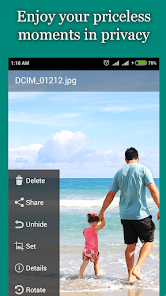
Additionally, the tool provides encryption features for files that require a higher level of protection. According to Google Play, this app received an update in September 2026.
Tips and user guide for Hide Photos
When you first start using Hide Photos, you should create separate albums for each topic instead of putting all photos into a general folder. This will make the process of searching and managing files later more scientific and easier.
Before moving a batch of photos or videos into the hidden vault, try experimenting with a few small files to get familiar with the hiding and restoring operations. Most importantly, you must remember your unlock password as well as set up backups if you store important documents.
It should be noted that Google Play records that the app may share location, device IDs, or other identifiers with third parties. Furthermore, the data safety information indicates that content is not encrypted and cannot be deleted. Therefore, for extremely sensitive materials, users should carefully consider and always maintain a secure backup outside the app.
Conclusion
Hide Photos offers a perfect solution for storing and managing photos, videos, and various other file formats on Android. Thanks to its smart disguise as Audio Manager, diverse locking systems, convenient album categorization, and powerful protection tools, the app fully meets personal information security needs. However, users should still note the privacy terms on Google Play before storing critical data.