
| Version | 5.2.8 |
|---|---|
| Size | 16 MB |
| Updated | Oct 1, 2026 |
| Category | Social Networking |
| Requires | Android - Tùy từng thiết bị |
| MOD info | Premium |
| Google Play | tkstudio.autoresponderforwa |
MOD features
- Unlock
- No Ads
AutoResponder for WA is a tool designed to help WhatsApp users automatically reply to messages without manually typing each response. The app allows you to set up conditions based on the content of incoming messages, helping maintain effective communication when you're busy or unable to check your phone frequently. With its flexible features, this utility also helps users manage multiple conversations more efficiently.
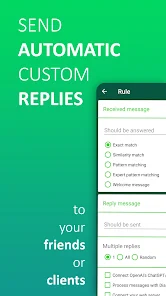
Introducing AutoResponder for WA
AutoResponder for WA addresses a specific need: automatically sending replies on WhatsApp based on conditions set by the user. Instead of using the same response for all messages, you can create different rules based on keywords or message content.
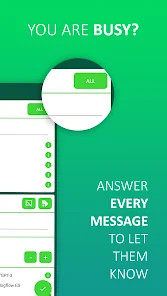
This approach makes the app suitable for various scenarios. You can use one message to indicate you're busy, another response when you can't take calls, or customize replies for frequently appearing content. However, creating multiple rules requires time to ensure no incorrect responses occur.
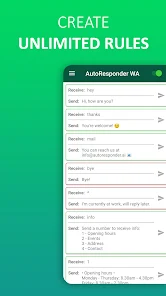
Key Features of AutoResponder for WA
Auto-reply Messages
The main feature allows the app to automatically send replies when it receives messages matching your set conditions. This saves time on manual actions and maintains communication even when you're not actively using WhatsApp.
Flexible Rule Setup
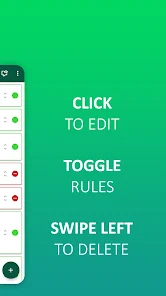
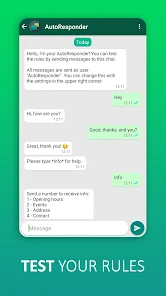
Users can create rules based on message content. Instead of sending the same reply to all, you can set responses tailored to specific keywords or situations. This customization is especially useful when handling various types of messages.
Control Response Timing
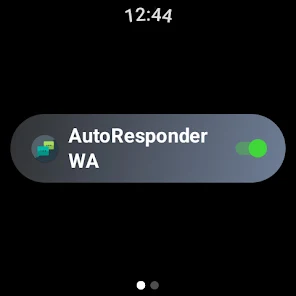
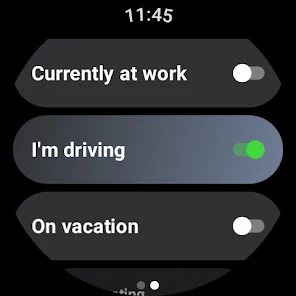
AutoResponder for WA can be used to build response scenarios suitable for different times or circumstances. For example, you can prepare notifications while working or unable to check WhatsApp. This usage helps senders understand that their messages have been received even if you haven't replied directly.

Conversation Management Support
For those who frequently receive many messages, automating responses can reduce the pressure of handling each conversation immediately. However, this tool should be seen as a supportive solution rather than a complete replacement for direct communication. Important conversations still require manual review and response.
How to Use AutoResponder for WA
After opening the app, start by creating a new reply rule. Enter the content or keywords the app needs to recognize, then write the corresponding response. You should use clear conditions to avoid incorrect replies to irrelevant messages.
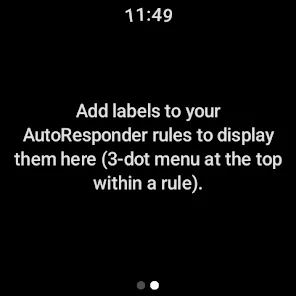
Next, test each rule with hypothetical scenarios before using it regularly. If you create multiple rules, organize them properly and frequently review the response content. This helps prevent a single message from triggering unwanted multiple responses.
Conclusion
AutoResponder for WA is a useful tool for WhatsApp users who want to automate frequent replies. Notably, its ability to build rules based on message content allows for appropriate responses in various situations. The app is especially convenient when you're frequently busy or need automatic notifications for contacts. However, careful rule setup remains important to ensure correct context and avoid unwanted messages.