
| Version | 6.1.26.0912 |
|---|---|
| Size | 18 MB |
| Updated | Oct 1, 2026 |
| Category | Social Networking |
| Requires | Android 7.0 |
| MOD info | Premium |
| Google Play | com.polestar.super.clone |
MOD features
- Advanced Premium version.
Super Clone: Multiple Accounts is a leading app cloning utility on Android, helping users easily create independent copies to log in to multiple accounts simultaneously on a single device. This solution is extremely ideal for those who want to clearly separate work and personal life, control multiple social networking sites, or game with a series of different accounts. The software is now well-compatible with Android 17, complete with updates that improve smoothness, stability for clones, and Google account login capabilities.
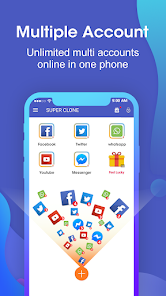
General introduction to Super Clone: Multiple Accounts
The biggest plus point of Super Clone: Multiple Accounts lies in its mechanism of building an isolated space for each cloned application. You can comfortably clone popular platforms like WhatsApp, Instagram, LINE, Messenger along with countless other chat apps or games, and then use different accounts to access them. Data between the original app and the clone is completely separated, bringing a smoother and more convenient switching experience than ever before.
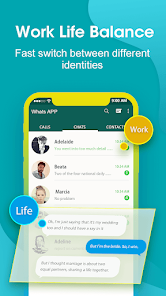
This utility also supports connecting Google accounts in each clone as well as being fully compatible with Google Play Services. This is an important key for games or apps that need Google services to store and sync progress. However, the actual operating performance of each cloned app still depends on how well the original developer's compatibility with this environment is.
Software cloning and fast account switching
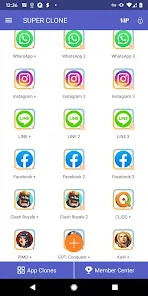
Through Super Clone: Multiple Accounts, you only need a few basic operations right on the main interface to instantly create an app clone. Each clone allows you to assign a separate name and a distinct icon to avoid confusion with the original version or other nicknames. As soon as the setup is complete, you can open each clone and access the corresponding account directly without going through the time-consuming logout-login loop.

The flexible switching feature makes multi-account management smoother than ever. With social networking apps, you can easily maintain personal and work accounts simultaneously on the same smartphone. As for gamers, this is the perfect way to set up completely separate login worlds.
Clone management and security optimization
Besides superior cloning capabilities, Super Clone: Multiple Accounts also integrates the Privacy Locker feature to lock clones tightly, while independently managing notifications for each account. The Lite mode is developed to save system resources to the maximum, combined with options to change icons and names to help users instantly recognize clones.
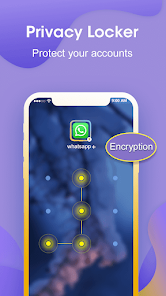
According to information from Google Play, the app commits not to share user data with third parties, although it may collect some information about performance, in-app activity, and device identifiers. The development team also notes that cloned apps often require many permissions to run smoothly. Therefore, you should carefully review access permissions before granting them to the clone.
Tips and user guide for Super Clone: Multiple Accounts
When starting to experience Super Clone: Multiple Accounts, the first step is to choose the app you want to clone and proceed to create a copy. After that, name it and change the individual icon interface for each clone for easy management. If the app generates new permission requests, you should only grant permissions that are truly necessary for your usage needs.
If you want notification systems from cloned accounts to always display promptly, check Android's notification settings and make sure Super Clone: Multiple Accounts is not blocked from running in the background by the battery saver feature. When turning on multiple clones at the same time, RAM, battery, and network consumption will change depending on the tasks of the internal apps. If your phone has a modest configuration, limit opening too many clones at the same time.
Conclusion and review
Super Clone: Multiple Accounts is a powerful assistant for those who frequently have to work with multiple accounts on the same Android device. Thanks to the advantages of fast cloning, safe data isolation, Google account support, and flexible customization capabilities, managing multiple accounts has never been easier. However, you should still note to check the compatibility level of each application and carefully consider access permissions before creating clones at ApkUnlimit.