| Version | 4.9 |
|---|---|
| Size | 75 MB |
| Updated | Oct 1, 2026 |
| Category | Personalization |
| Requires | Android 6.0 |
| MOD info | Premium |
| Google Play | com.anime.launcher |
MOD features
- Premium.
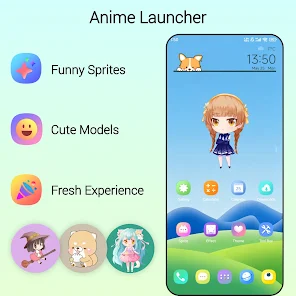
Anime Launcher is an Android launcher app designed specifically for anime fans, transforming your phone's interface into a lively and personalized space. The app integrates elements like wallpapers, icons, themes, motion effects, and anime characters that can interact directly on the home screen. Users can tap, drag, or zoom in and out on characters to create a unique experience that sets it apart from ordinary launchers.
Overview of Anime Launcher
The standout feature of Anime Launcher is its comprehensive interface customization. It goes beyond simply changing wallpapers or icon packs, offering many features to adjust screen layout, icon size, text color, icon shape, folders, and the dock. Desktop effects, tap effects, and edge effects make the interface more dynamic.
The app supports multiple app drawer styles with vertical, horizontal, and group-based formats. Users can hide apps, edit icons, show notification badges, and lock the desktop after finishing their arrangement.
Anime characters and interactive effects
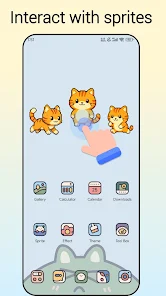
In Anime Launcher, anime characters and sprites can appear directly on the screen while you use your device. Some characters can be tapped or dragged to trigger animations, and users can customize settings to their liking. This is what sets the launcher apart from traditional versions that focus only on organizing apps.
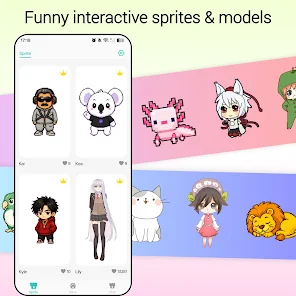
Beyond characters, the launcher also includes dynamic desktop effects, tap effects, and edge effects. You can combine these with anime wallpapers to create a more harmonious and cohesive interface.
Icon, folder, and home screen customization
Anime Launcher lets users adjust the screen grid size, icon size, and app label color. Icon shapes can also be changed, and the icon editing feature helps you build an interface in your personal style. The app supports multiple icon packs to expand customization options.
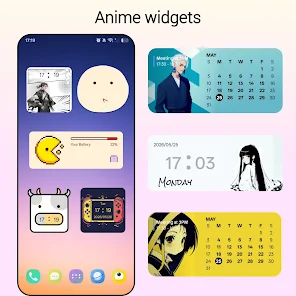
Folders also offer many options such as display style, folder background, and the ability to scroll directly on the desktop. The dock can be adjusted to match your usage habits, while notification badges help you track apps with new notifications without opening each one.
Tips and guide for using Anime Launcher
When you start using Anime Launcher, you should choose a wallpaper and icon pack first before adjusting the screen layout. Then you can change the grid size, icon size, and label color so elements don't overlap. If you use animated characters or sprites, try each effect to find the setting that suits your phone's configuration.
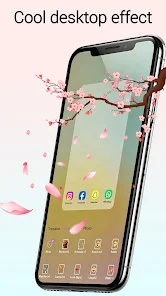
To keep your screen tidy, categorize apps into folders and use the hide feature for rarely used apps. You can also choose an app drawer style that matches your habits, and lock the desktop when you're done to avoid accidentally moving icons while using the screen.
Conclusion
Anime Launcher offers a fun way to personalize your Android interface in anime style. From interactive characters, animated sprites, wallpapers, and icon packs to desktop effects, gestures, folders, and app drawer, the app provides many options to create a unique and personally branded home screen. It's an ideal choice for those who want a more lively phone interface instead of using the default launcher.